Receive a Verification Code Online Without Sharing Your Number
Receive a verification code online in a private inbox instead of your own number, and keep it safe from SIM swaps, data brokers and account takeover.
By the DuoTalk team · Published 2026-11-14 · Updated 2026-11-14
To receive a verification code online without sharing your number, you give the website a separate number whose texts arrive in a private web inbox that only you can open, and your real number never enters its database. That one change keeps your personal number out of breaches, broker lists and SIM-swap target lists. This guide explains why your real number deserves that protection, which ways of receiving codes online are actually private, how to do it step by step, what to do on popular apps, and how to lock an account down once you are in.
The short answer: Use a private virtual number (one-time for a sign-up you will not revisit, monthly for an account you keep) and read the code in its online inbox, so the service never sees your personal number. Avoid free public inbox sites, because anyone can read the codes there. After sign-up, add an authenticator app or passkey so the account no longer depends on SMS.
What it means to receive a verification code online
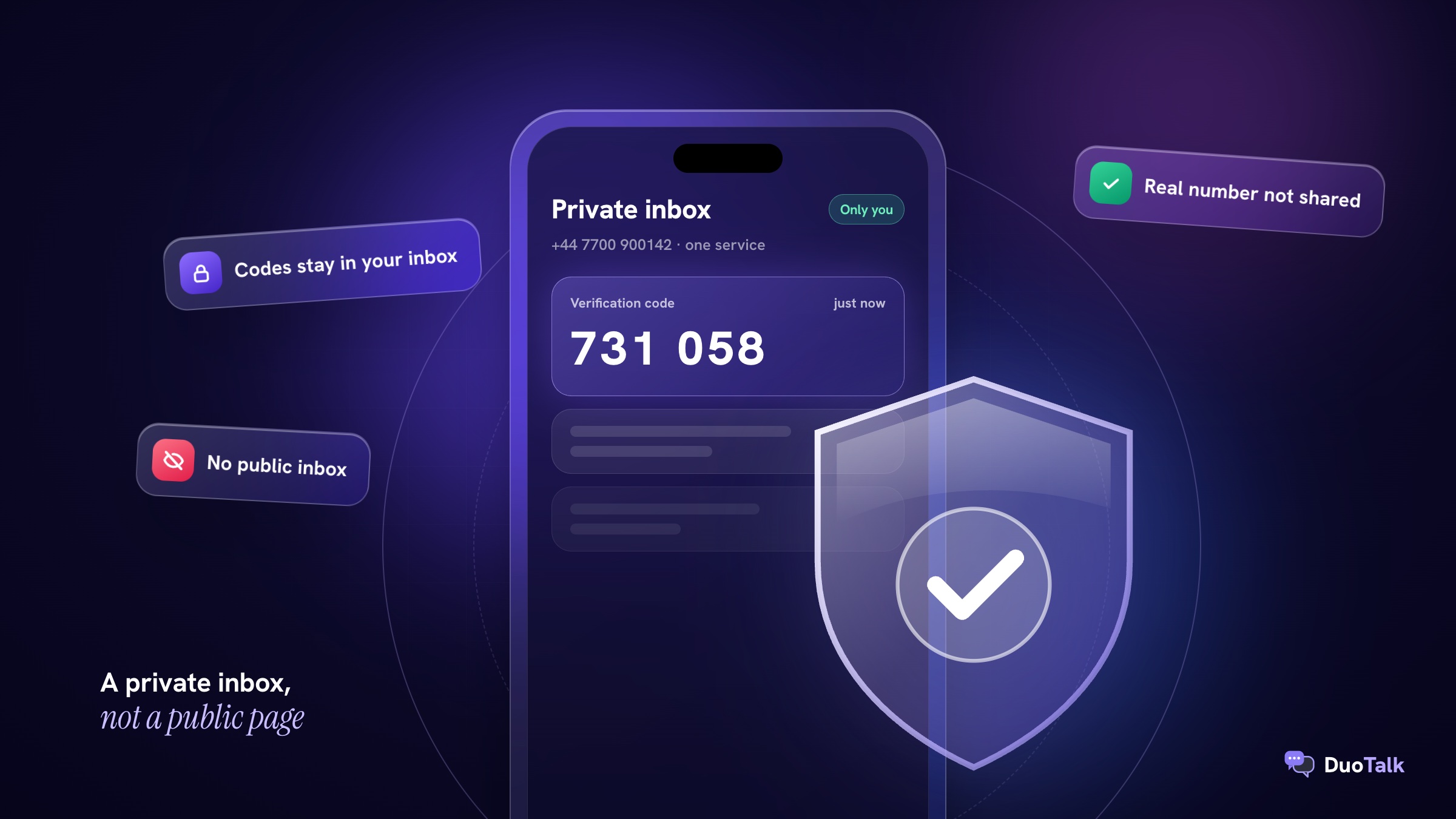
Receiving a verification code online means the one-time password (OTP) a service texts you lands in an inbox you read in a browser or app, instead of on the SIM in your phone. The number is real and dialable, it simply is not the one your family, bank and carrier know you by.
A verification code is usually 4 to 8 digits, valid for a few minutes, sent once to prove you control a number. The sender does not care where the text is read. It only cares that the number exists, passes its checks, and that you type the code back before it expires.
There are two very different kinds of online inbox, and the difference is the whole point of this article:
- A private inbox belongs to your account. Only you can see the messages, as with a paid virtual number from a provider such as DuoTalk.
- A public inbox is a web page anyone can open. Free "receive SMS online" sites publish every text sent to their numbers, codes included.
Only the first one protects you. If you want the technical path a code takes from the app to an online number, how temporary SMS numbers work covers the routing in detail, and the wider guide to how to receive SMS online compares every method side by side.
Why sharing your real number is riskier than it looks
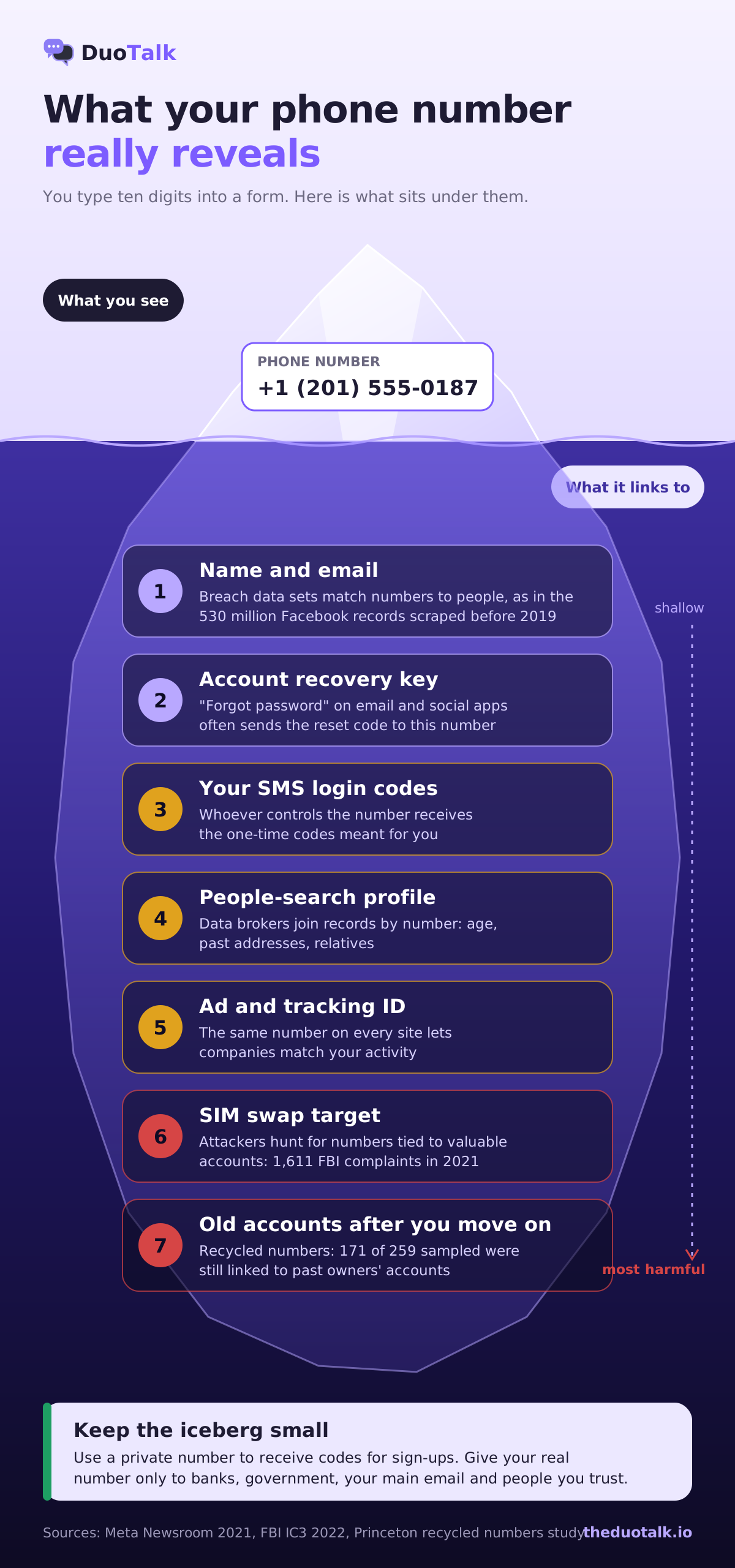
Your personal phone number is no longer just a way to reach you. It works as a login, a recovery key, an advertising ID and a lookup key for data brokers, all at once. Every site that stores it adds one more place it can leak from, and the number almost never changes, so a leak is permanent.
Here are the five risks, with real cases where they exist.
1. Breaches and scraping put your number in public data sets
Companies lose phone numbers in bulk, and you cannot take a number back the way you change a password. In April 2021, Meta confirmed that a data set covering more than 530 million Facebook users had been scraped through its contact importer before September 2019. Attackers uploaded lists of phone numbers to see which ones matched profiles (Meta Newsroom). Many of those people had only given Facebook their number for security.
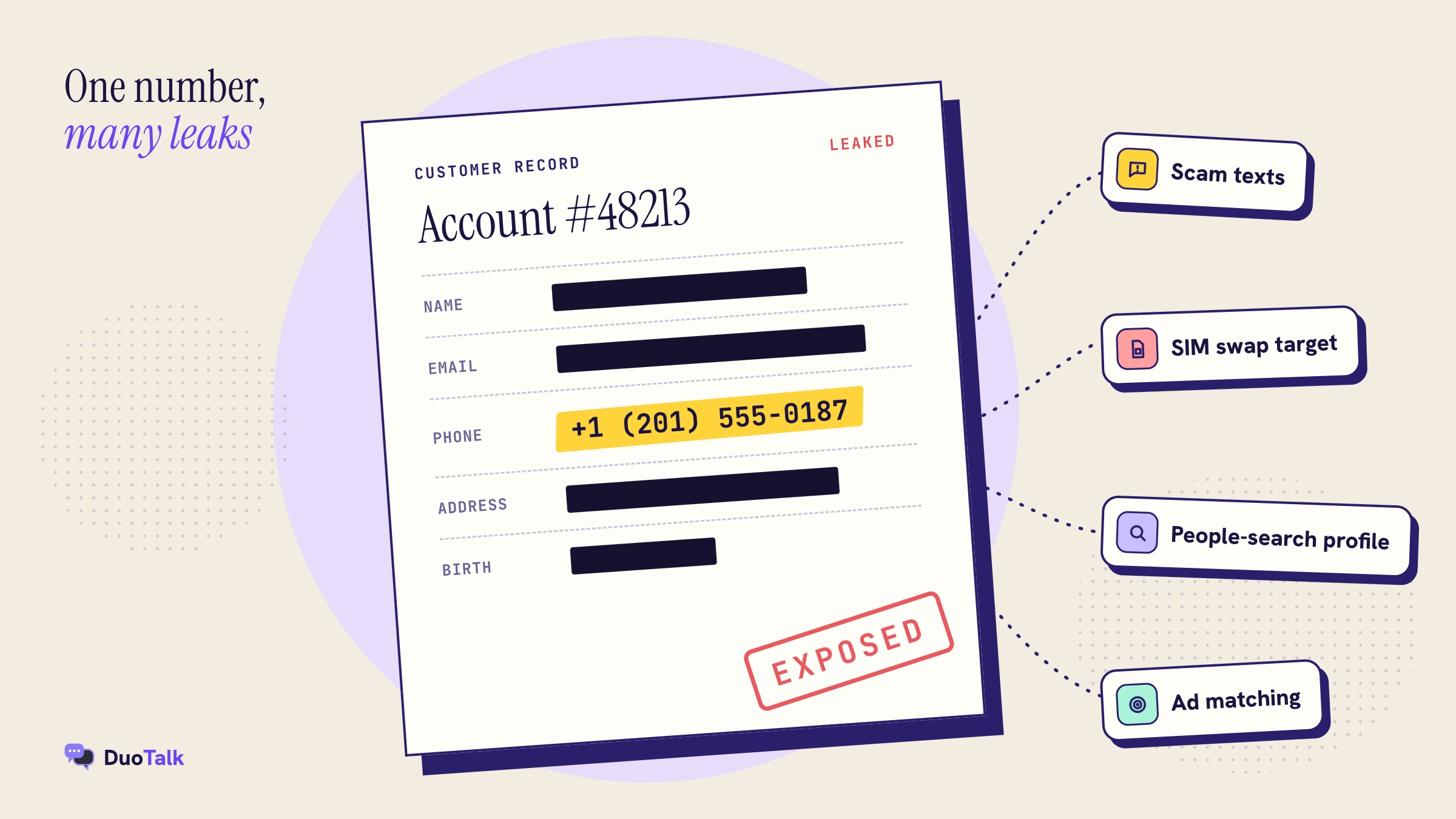
The more sites hold your number, the more likely it is sitting in one of these sets, matched to your name, email and sometimes your address.
2. SIM swapping turns your number into a master key
In a SIM swap, a criminal convinces your carrier to move your number to a SIM they control, and from that moment every SMS code meant for you goes to them. The FBI's Internet Crime Complaint Center received 1,611 SIM-swapping complaints in 2021 with adjusted losses of more than $68 million, against 320 complaints from 2018 to 2020 (FBI IC3, February 2022).
Attackers pick targets by finding numbers linked to valuable accounts. A number you have typed into dozens of sign-up forms is easier to find and easier to link to your email. Keeping your real number for a short list of trusted accounts shrinks the target.
3. Spam, scam texts and robocalls
Once a number is in a marketing list or a leaked data set, it gets traded. That shows up as "your parcel is delayed" smishing texts, fake bank alerts and robocalls. You can block senders, but you cannot unlist a number that has already spread. A separate number for sign-ups means the spam lands somewhere you can simply stop using.
4. Data brokers and people-search sites
Data brokers buy and combine records, and a phone number is one of the easiest keys for joining them. Type a number into a people-search site and you can often get a name, age, past addresses and relatives. The problem is big enough that California launched DROP in 2026, a free state tool that sends one deletion request to every registered data broker; the state's privacy agency counts over 650 registered brokers (CalPrivacy DROP FAQ). Google also offers Results about you, which watches Search for your phone number, home address and email and lets you request removal.
These tools help after the fact. Not handing the number out in the first place helps more.
5. Your number follows you across sites, and may be used for ads
A phone number is one of the few identifiers that stays the same on every site you use, which makes it ideal for matching your activity across companies. Security numbers are not always kept for security, either. In May 2022 Twitter agreed to pay a $150 million penalty to settle US Federal Trade Commission charges that it used phone numbers and emails, collected from more than 140 million users to protect their accounts, to target ads (FTC press release).
One more risk is quieter: when you change carriers or drop a number, it is eventually given to someone else. Princeton researchers sampled 259 available numbers at two US carriers and found 171 of them still linked to previous owners' accounts on popular websites (Princeton recycled numbers study). The fewer accounts tied to your personal number, the less you leave behind if you ever change it.
Which accounts should get your real number, and which should not
Give your real number only to accounts where your legal identity matters or where losing access would be serious; use a private virtual number from an SMS verification service for everything else. The decision rule is simple: the more the account is about you as a person (money, government, health, your main email), the more it should use a number you will own for years.
| Account type | Examples | Best number | Why |
|---|---|---|---|
| Banking, payments, crypto exchanges | Bank app, PayPal, Wise, Binance | Your own SIM number | These follow identity rules and may need a number in your name; recovery must work for years |
| Government and health | Tax portals, health records, ID services | Your own SIM number | Often require a number tied to you; never worth the risk |
| Main email and Apple/Google account | The email that resets everything else | Your own number, or a monthly private number plus an authenticator | It is the recovery key for every other account |
| Messaging you keep | WhatsApp, Telegram, Signal on a second identity | Monthly private number | You will need codes again for new devices |
| Social media, forums, communities | Instagram, Discord, Reddit, X | Monthly if you keep it, one-time if not | Keeps your number off profile-matching and ad lists |
| Shopping, delivery, loyalty | Marketplaces, food delivery, coupons | One-time private number, or monthly if you reorder | These are the biggest sources of marketing texts |
| Trials, one-off sign-ups, testing | Free trials, a download gate, a tool you test once | One-time private number | You will never log in again |
| Dating and marketplaces where strangers contact you | Dating apps, classifieds | Monthly private number | Strangers never see your real number, and you can still recover the account |
Two cautions. First, follow each service's own rules: financial apps in particular expect a number you can keep and that matches your identity checks, so this guide never suggests routing around them. Second, a one-time number is fine only when you are sure you will never need a code for that account again, because after its window closes, nobody can bring that number back for you. The deeper guide to choosing a private SMS verification number walks through these picks per account type.
Ways to receive verification codes online, compared for privacy
There are six realistic ways to get a code without using your personal SIM, and they differ most on one question: who else can read the code. Private paid numbers and a second SIM line score best on privacy, free public inboxes score worst, and authenticator apps avoid the phone number question entirely where a service allows it.
| Method | Who can read your codes | Your real number exposed? | Typical acceptance | Good for |
|---|---|---|---|---|
| Private one-time virtual number | Only you | No | Varies by service and country | Sign-ups you will not revisit |
| Private monthly virtual number | Only you, for 30 days at a time | No | Varies by service and country | Accounts you keep, re-logins, recovery |
| Free public inbox site | Anyone on the internet | No, but the account is exposed instead | Often refused, numbers overused | Nothing you care about |
| Free calling and texting app | You, via the app provider | Often needed once to set up | Often refused as VoIP | Calls and chats more than codes |
| Second SIM or eSIM line | You | No, but the line is registered to you in many countries | Very high | Long-term second identity |
| Email, authenticator app or passkey | Only you | No number at all | Only where the service offers it | Any account that lets you skip SMS |
Why free public inboxes defeat the purpose
A public inbox protects your number but hands your account to strangers. Anyone who opens the page sees the code at the same moment you do. They can use the "forgot password" link later, request a new code to the same public number and take over the account. Popular public numbers are also used by thousands of people, so many services have flagged them and refuse to send codes at all.
Use a public inbox only for something you would not mind losing, such as a throwaway test where no personal data is stored. The full case is laid out in free vs paid SMS verification.
Can you skip the phone number entirely?
Sometimes. A few services let you sign up with only an email, and many let you add an authenticator app or passkey after sign-up and then remove SMS as a sign-in method. Check the sign-up page for a "use email instead" link before you reach for any number. When a service insists on SMS, a private virtual number is the next best route. Receiving an OTP without a SIM card covers eSIM and Wi-Fi options too.
How to receive a verification code online privately, step by step
The process takes about two minutes when stock is available: pick the service and country, get a private number, paste it into the sign-up form, and copy the code from your inbox. The steps below use DuoTalk (theduotalk.io), a web app that sells private short-term and monthly virtual numbers to receive SMS online, but the checks apply to any private provider.
- Decide how long you need the number. Ask one question: will I ever need a code for this account again? If no, choose a short-term number. If yes (new devices, password resets, recovery), choose a monthly number.
- Choose the service and the country. Pick the exact app you are signing up for and a country it accepts. A short-term number on DuoTalk receives SMS only from the one service you choose at purchase, so pick carefully. A monthly number receives SMS from any service.
- Check live stock and price. Open the Numbers page and see live numbers for your service and country. Prices and stock change through the day, so check before you top up.
- Top up your balance if needed. DuoTalk balances are topped up in crypto only: USDT (TRC20 or BEP20), TRX, LTC, BTC or ETH. The balance is added once the network confirms, and no fees or tax are added at checkout.
- Get the number. The number appears in your private inbox with a countdown. A short-term number works for 60 minutes.
- Enter the number on the service. Select the matching country code in the sign-up form, then type the rest of the number without the leading plus sign or a duplicate country code. A wrong country picker is the most common reason a code never arrives.
- Tap "Send code" once and wait. On working routes codes usually arrive within seconds. Avoid tapping resend repeatedly; many services slow down or block numbers that request too many codes.
- Copy the code from your inbox. Once the first code arrives, a short-term number stays open 7 more minutes in case the service sends a second code.
- Finish sign-up, then secure the account. Add an authenticator app or passkey and save backup codes before you close the tab. The section on hardening below lists exactly what to change.
A worked example: a marketplace account you will keep
Say you want to sell a bike on a local marketplace app and do not want buyers or the app's marketing team to have your number. You plan to keep selling there, so a short-term number would be a mistake. Choose a monthly number in your own country, sign up with it, and read the code in your inbox. Then turn on in-app messaging so buyers contact you through the app, not by text. When the 30 days are close to ending, renew from your numbers list. DuoTalk monthly numbers never renew automatically, so put a reminder in your calendar.
For a one-off case, such as claiming a free trial you will cancel in a week, the short-term number is the right tool: one code, done, nothing left pointing at you.
What a verification number cannot do
A DuoTalk number receives SMS only. It cannot send texts or take calls, so a service that offers only a voice call for verification will not work with it. Choose "text me" or "SMS" whenever the form offers a choice.
Per-platform tips for receiving codes privately
Each platform has its own habits: some hide your number once you are in, some show it to contacts, and some check the number type before sending anything. Use the notes below to choose the number type and the privacy setting to change after sign-up.
| Platform | Number type that fits | Privacy setting to change after sign-up | Note |
|---|---|---|---|
| Monthly | Settings, Privacy: limit who sees your profile photo, about and last seen | New devices need a fresh SMS code, so a one-time number risks the account | |
| Telegram | Monthly | Settings, Privacy and Security, Phone Number: set "Who can see my phone number" to Nobody | A username lets people message you without seeing your number |
| Signal | Monthly | Set a username and hide your number from people who search | Turn on Registration Lock with a PIN |
| Google and Gmail | Monthly, or skip SMS where offered | Add a passkey or authenticator, then review recovery options | This is a recovery key for other accounts: treat it as long-term |
| Discord, Reddit, forums | Monthly if you keep the account | Turn on two-factor with an authenticator app | Some servers require a verified phone to join |
| Instagram, TikTok, X | Monthly if you keep the account | Hide contact info from your profile; switch two-factor to an authenticator | Contact syncing can still match you to friends' address books |
| Shopping and delivery apps | One-time or monthly | Turn off marketing texts in notification settings | The largest source of promotional SMS |
| ChatGPT and AI tools | Depends on the tool's current rules | Use a passkey or authenticator where available | Some tools refuse virtual numbers; check before buying |
| Banks, PayPal, Wise, exchanges | Your own SIM number | Follow the service's identity rules | Do not use a temporary number for money |
For the step-by-step on two of the most common apps, see the guides to a virtual number for WhatsApp and to using Telegram without a phone number.
Telegram's own FAQ confirms that, by default, your number is visible only to people who already have it saved, and that someone who finds you by username sees neither your number nor theirs unless your settings allow it (Telegram FAQ). That makes Telegram one of the easiest apps to run on a separate number with almost no trace.
When the code does not arrive
If a code does not arrive within a couple of minutes, the cause is almost always one of four things: the country code was entered twice or wrongly, the service refused the number before sending, the service is rate-limiting you after several requests, or the route for that country is slow. Work through the checks in this order.
- Check the number format. Make sure the country picker matches the number and that you did not type the country code a second time.
- Look for an error on the sign-up page. Messages such as "this number cannot be used for verification" or "number not supported" (wording varies) mean the service rejected the number, not that the SMS is late.
- Wait before resending. Give it two or three minutes. Repeated taps can trigger a temporary block on the number.
- Extend once if nothing arrived. On DuoTalk, a short-term number that has received no code can be extended once for free, giving you another hour on the same number. See extending and renewing numbers.
- Report it and get your balance back. If it still fails, report the number; the money goes back to your DuoTalk balance. The no SMS received help page explains each status.
- Try another country or number type. A different country, or a monthly number, sometimes passes checks that a short-term number does not.
Be honest with yourself about one limit: a code arriving does not guarantee the service will accept the number, and a service can still refuse a number after sending a code. Services change their rules often. The longer list of causes is in not receiving verification codes.
For monthly numbers, DuoTalk refunds on request within 48 hours if the number never receives an SMS at all.
After sign-up: harden the account and keep your number private
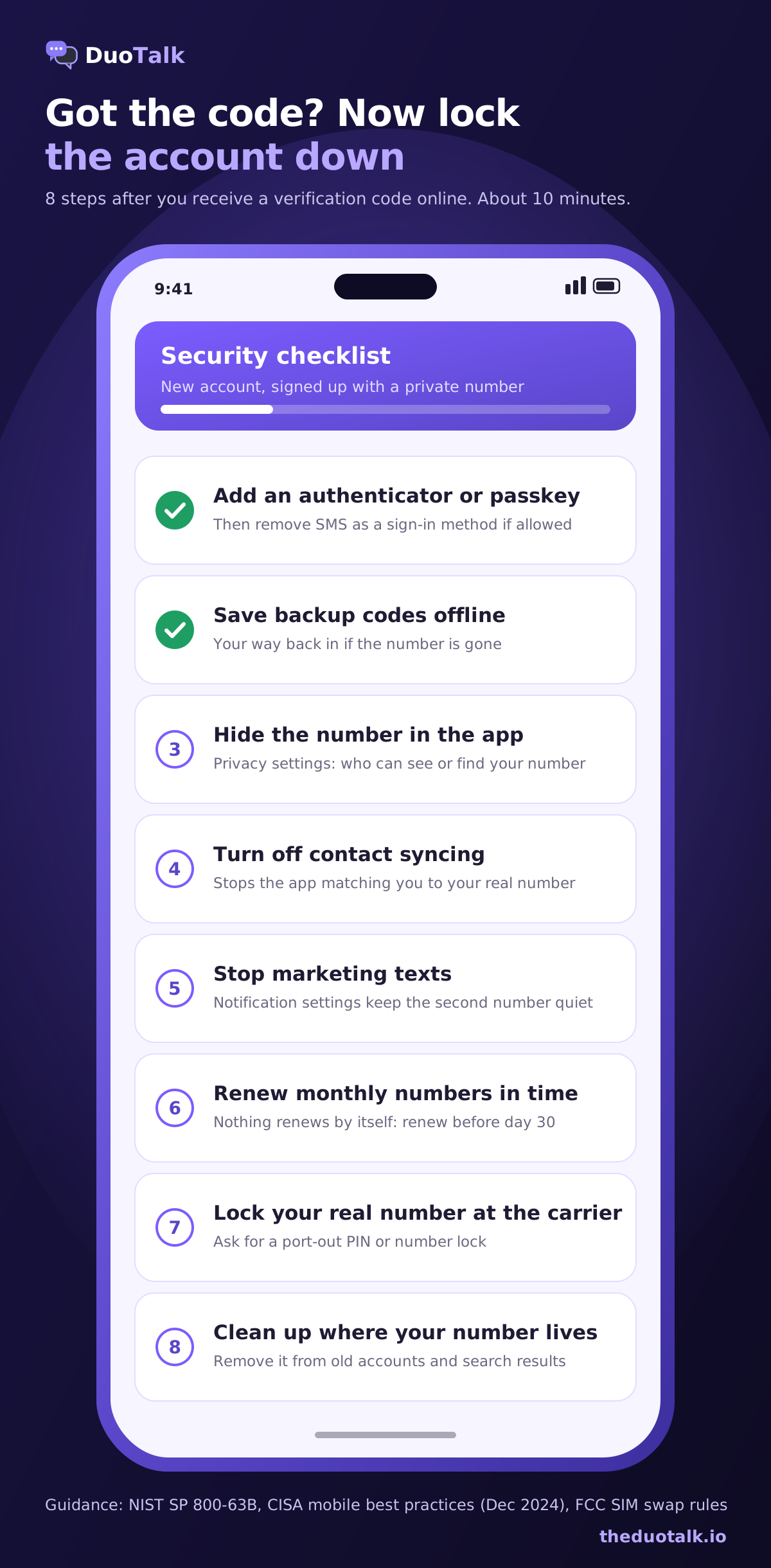
Getting the code is the first half of the job; the second half is making sure the account does not depend on SMS forever and that your real number stays out of it. These steps take ten minutes and matter more than which number you used.
- Add an authenticator app or a passkey. Then remove SMS as a sign-in method if the service lets you. US standards body NIST classes SMS and voice codes as a "restricted" authenticator because of SIM swap and interception risks (NIST SP 800-63B), and the US cybersecurity agency CISA's December 2024 guidance, written for high-risk people but useful for anyone, says plainly not to use SMS as a second factor (CISA mobile best practices, PDF).
- Save backup codes offline. Print them or store them in a password manager. They are your way back in if the number is gone.
- Hide the number inside the app. Use the privacy settings from the platform table above so other users cannot see or search the number.
- Turn off contact syncing. Uploading your address book shares your friends' numbers and lets the app match you to people who saved your real number.
- Unsubscribe from marketing texts. Do it in the app's notification settings so the second number stays quiet.
- Keep monthly numbers alive or move off them first. Renew before the 30 days end. If you decide to stop using a number, change the phone number on every account linked to it before it lapses, because expired numbers are eventually given to someone else.
- Lock your real number at the carrier. Ask for a port-out PIN or number lock. Under FCC rules published in December 2023, US carriers must offer customers ways to lock their accounts against SIM changes and port-outs and must notify them of such requests (Federal Register, FCC SIM swap rules).
- Clean up where your real number already lives. Remove it from accounts that do not need it, use Google's Results about you to find it in Search, and, if you live in California, file one DROP request to registered data brokers.
A quick self-audit for your real number
Open your password manager or your email search and list every account where your personal number is stored. Most people find 20 or more. Sort them into three groups: keep (banks, government, main email, close contacts), move to a monthly private number (social, messaging identities, marketplaces), and delete (old shopping accounts, forgotten trials). Changing ten accounts in one evening removes ten future breach points.
Receiving codes online privately with DuoTalk
DuoTalk gives you a private inbox for each number you buy, visible only to your account, so a code sent to it is never published anywhere. You choose a short-term number for a single verification or a monthly number for an account you will keep, check live stock and live prices by service and country on the Numbers page, and pay from your DuoTalk balance.
What to expect, in plain terms:
- Short-term numbers work for 60 minutes and receive SMS only from the service you chose. After the first code arrives they stay open 7 more minutes for a second code. If no code arrives, extend once for free; if it still fails, report it and the money returns to your balance.
- Monthly numbers last 30 days, receive SMS from any service, and are available in some countries only. Nothing renews automatically, so renew from your numbers list before the 30 days end.
- Receive-only: numbers receive SMS; they cannot send texts or take calls.
- Payment: top-ups in USDT (TRC20 or BEP20), TRX, LTC, BTC or ETH, added once the network confirms.
- No promises the service will accept it: a code can arrive and a service can still refuse the number. Services change their checks without notice.
Questions people also ask
Can I receive a verification code without using my phone number?
Yes. Give the service a separate private virtual number and read the code in its online inbox, or choose email, an authenticator app or a passkey if the service offers them. A one-time private number suits sign-ups you will never revisit; a monthly number suits accounts you keep. Avoid free public inbox sites: they keep your number private but let anyone read your code and take over the account later.
Is it safe to receive OTP online?
It is safe when the inbox is private and you are the only person who can see it. The risk comes from public inbox sites, where every code is posted on an open web page, and from weak accounts that rely on SMS alone. Use a private number, enter the code only on the real site, never share it with anyone who calls or texts you, and add an authenticator app once you are signed in.
What can someone do with your phone number?
With your phone number, someone can look you up on people-search sites, target you with scam texts and calls, try password resets on accounts linked to it, and in the worst case attempt a SIM swap to receive your codes. The number also links your accounts across companies. That is why it makes sense to give your real number only to banks, government services, your main email and people you trust.
Can someone hack my account with just my verification code?
Only if they get the code before it expires and the account relies on SMS alone. Most attacks trick you into reading a code aloud or typing it into a fake page, so treat any unexpected code as a warning sign and never share it. Codes sent to a public inbox are a different case: anyone can read them, which is why public numbers are unsafe for real accounts.
Why do websites ask for your phone number?
Websites ask for a phone number mainly to block bots and duplicate accounts, to send login codes and to help you recover a locked account. Some also use it for marketing or to match your activity with other data. The FTC's 2022 case against Twitter alleged that numbers given for security were used for advertising, which is a good reason to share a separate number where the service allows it.
Can a virtual number be traced back to me?
A private virtual number is not public and does not appear in phone directories, so other users, sellers and spammers cannot link it to you. The provider still holds your account and payment records, and authorities can request them through legal process. It protects your privacy from the public and from data leaks, not from lawful investigations, and it is not a way to avoid any service's identity checks.
Is a free SMS receive website safe for verification?
No, not for any account you want to keep. Free receive-SMS websites publish incoming texts on an open page, so anyone can see your code, reuse the number for "forgot password" and take the account. Their numbers are also used so often that many services refuse them. Use one only for a throwaway test with no personal data; use a private number for everything else.
Sources
- Meta Newsroom: The facts on news reports about Facebook data (April 6, 2021)
- FBI IC3 public service announcement: Criminals increasing SIM swap schemes (February 8, 2022)
- FTC: FTC charges Twitter with deceptively using account security data to sell targeted ads (May 25, 2022)
- Princeton University: Security and privacy risks of number recycling at US mobile carriers
- California Privacy Protection Agency: DROP FAQ (October 2026)
- Google Search Help: Results about you
- Telegram FAQ: who can see my phone number
- NIST SP 800-63B: Digital Identity Guidelines, Authentication
- CISA: Mobile Communications Best Practice Guidance (December 2024, PDF)
- Federal Register: FCC rules on SIM swap and port-out fraud (December 8, 2023)
Last reviewed: November 2026