Buy UK Virtual Phone Numbers for SMS Verification
A UK virtual phone number from DuoTalk is a private +44 number that receives SMS verification codes in your online inbox, with no UK SIM card. Pick a service, check the live price and stock, and read your code, usually within seconds.
Live prices and stock
Prices and stock on DuoTalk are live. They change during the day by country and service, so the number picker on this page loads the current price and the numbers in stock when the page opens in your browser. Choose or change the country and the service, check the live price, then press Buy UK Number.
The short answer: A UK virtual phone number is a +44 mobile number (it starts with 07 at home) that you use online without a UK SIM card. On DuoTalk you pick the service and United Kingdom in the live picker at the top of this page, pay from your balance, and read the SMS verification code in a private web inbox. Choose a temporary number for a one-off sign-up and a monthly number for an account you will keep.
Get a UK Virtual Phone Number Online
You can buy a UK phone number online in a few minutes: choose United Kingdom and the app you need in the live picker, check the live price and stock, and press Buy UK Number. The number appears in your DuoTalk inbox straight away, ready to paste into the sign-up form.
DuoTalk (theduotalk.io) is a web app that sells private virtual phone numbers for receiving SMS verification codes, so you do not have to hand out your personal number. A UK number from DuoTalk is a British mobile-type number that lives in the cloud instead of in a SIM tray: a UK number without a SIM card, a UK address or a UK bank card. People use it to get a UK phone number from abroad, to keep work and personal identities apart, or to stop a new account collecting their real number.
Who a UK virtual phone number suits:
- People abroad who use British apps and need a UK phone number without living in the UK.
- Travellers and students who want a +44 number for OTP codes before they arrive.
- Privacy-minded users who want a private UK phone number for sign-ups.
- Developers and testers checking that their own app sends UK codes correctly.
- Sellers and freelancers who want a separate British virtual phone number for a side account.
What you get with every UK number on DuoTalk:
| What you get | What it means in practice |
|---|---|
| A +44 number | Listed in the live picker; mobile-range (+44 7) numbers are the type most apps expect for SMS codes |
| A private inbox | Only you can see the texts; nothing is posted on a public page |
| Live stock and live price | The picker shows what is available right now for the service you chose |
| Refund to balance if no code arrives | Short-term numbers: extend once for free, then report it for a reviewed refund to your balance |
| No SIM, no contract | It works in any browser or in the DuoTalk app on your phone |
| Crypto top-ups | Pay with USDT (TRC20 or BEP20), TRX, LTC, BTC or ETH |
Want to compare a UK number for verification online with other countries? The main page to receive SMS online lists every option, and the full stock is on the Numbers page.
Available +44 UK SMS Numbers
The UK numbers that receive SMS verification codes are mobile numbers: +44 7, written 07 inside the UK. That is the range to look for (a 07 virtual mobile number), because landlines, 03 numbers and freephone numbers generally cannot receive the texts that apps send.
UK numbers are allocated by Ofcom, the UK communications regulator, under the National Telephone Numbering Plan. The first digits after the 0 tell everyone, including sign-up systems, what type of line it is. When an app checks your number before it sends a code, it reads those digits. That is why a UK virtual mobile number works as a UK mobile number for verification, while a "UK number" from a calling app often does not.
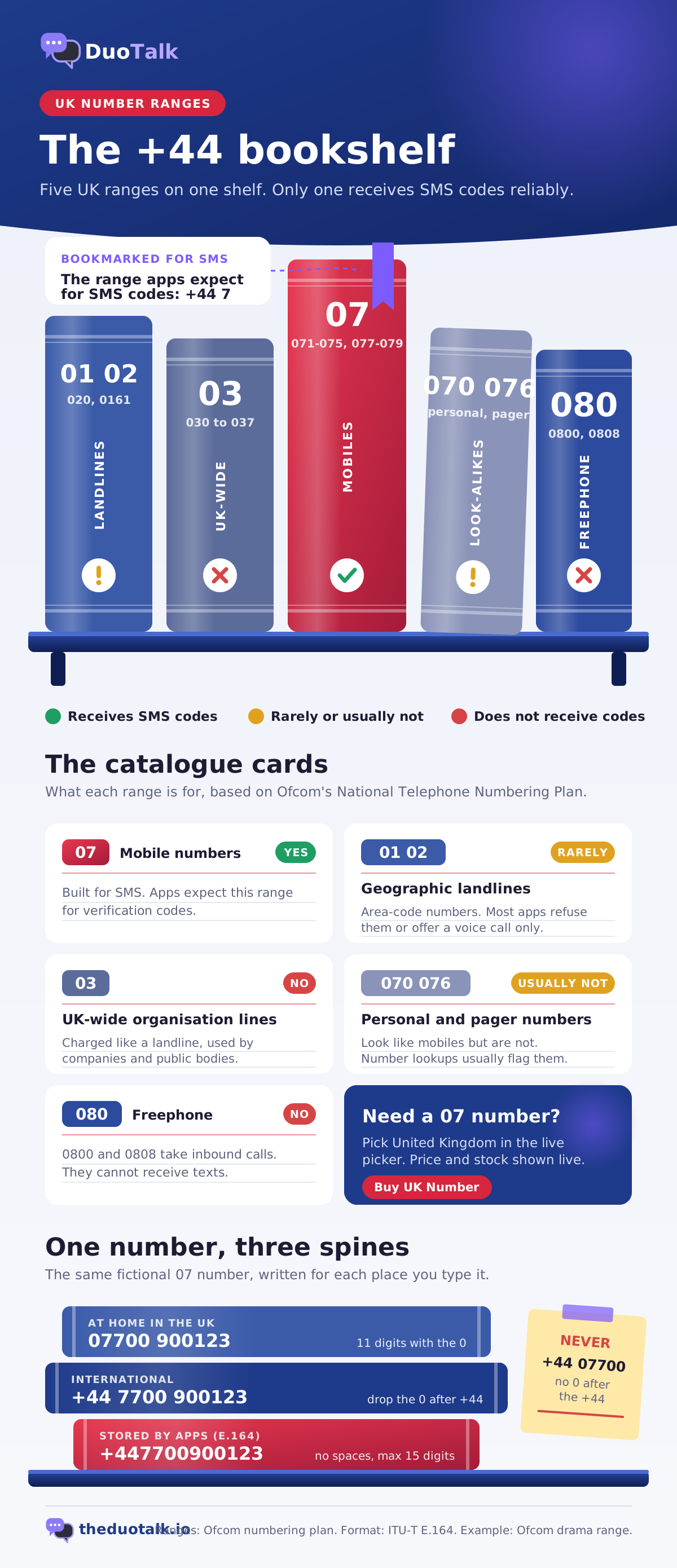
| Range (UK format) | What it is | Receives SMS codes? |
|---|---|---|
| 07 (071 to 075, 077 to 079) | Mobile numbers | Yes, this is the range apps expect |
| 01 and 02 (for example 020, 0161) | Geographic landlines with area codes | Rarely; many apps refuse them |
| 03 | UK-wide non-geographic numbers for organisations | No |
| 070 and most 076 | Personal numbers and pagers; they look like mobiles but are not | Usually not; lookups flag them |
| 080 (0800, 0808) | Freephone, inbound calls only | No |
For a full comparison of free and paid options, see our guide to free vs paid UK virtual numbers. This page is about getting a working number and a code today.
How a UK virtual mobile number is written
A UK mobile number has 11 digits at home (07700 900123) and 12 digits after the country code in international form (+44 7700 900123). The leading 0 is a trunk prefix used only for calls inside the UK, so you drop it after +44. The format follows the international standard ITU-T E.164, which is how most websites store numbers.
| Where you type it | Correct | Wrong |
|---|---|---|
| Form with a country menu set to United Kingdom | 7700 900123 | 07700 900123 when the form adds +44 itself |
| Form with a single field | +44 7700 900123 | +44 07700 900123 |
| Stored by the app (E.164) | +447700900123 | 0044 07700 900123 |
The example numbers on this page come from the range Ofcom keeps for TV and radio drama, so they never belong to a real person. Your DuoTalk number will be a real, live +44 number.
How many UK numbers are in stock
Stock changes through the day. The live picker at the top of this page shows the number of UK numbers available for the service you chose and the price at this moment. If stock is empty, try later or pick another country; the US virtual phone number page and the Canada virtual phone number page are the usual alternatives when an app accepts any country.
How to Buy a UK Virtual Number
To buy a UK virtual number on DuoTalk, or purchase a UK phone number for a month, top up your balance in crypto, choose United Kingdom and the service in the live picker, and press Buy UK Number. The whole purchase takes about two minutes once your balance is funded.
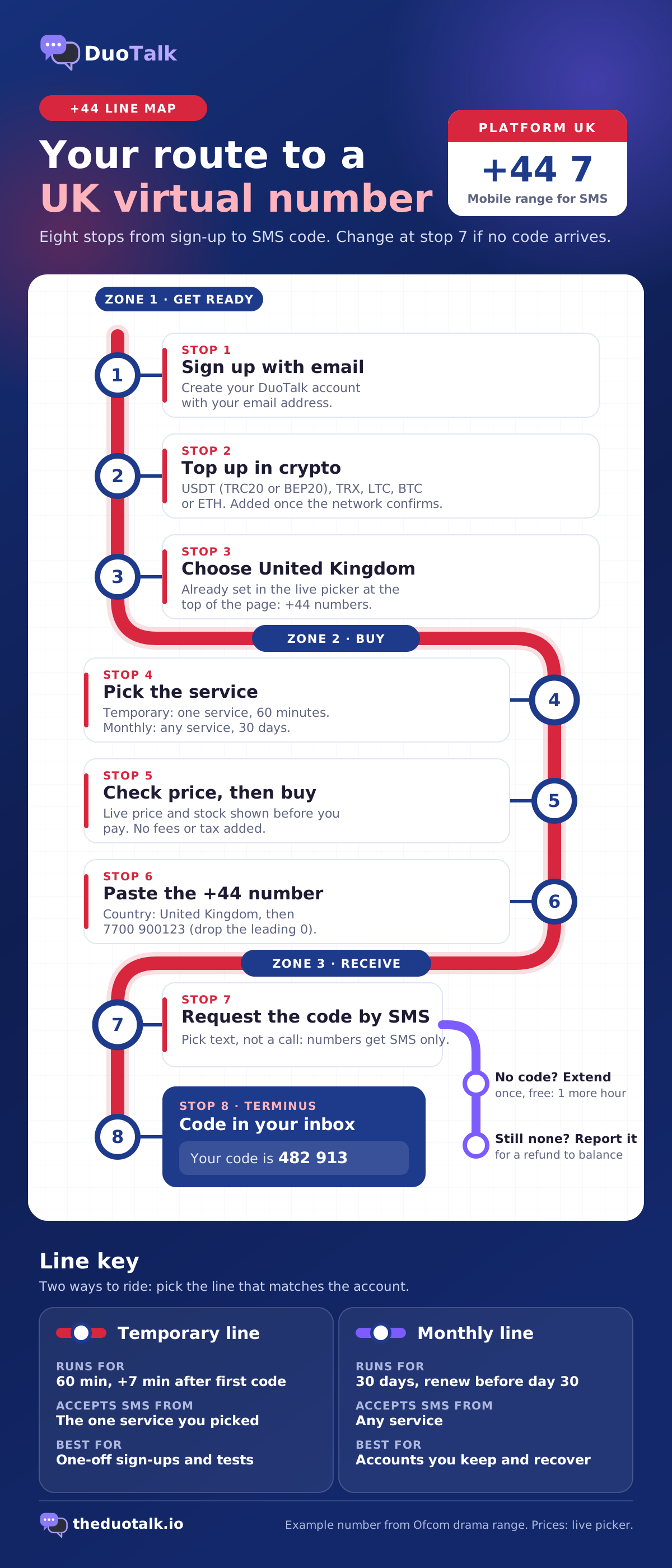
- Create your DuoTalk account. Sign up with your email address.
- Top up your balance. Choose USDT (TRC20 or BEP20), TRX, LTC, BTC or ETH and send the amount shown (the minimum top-up is $15). The balance is added automatically once the network confirms. The top-up help page explains each coin.
- Choose United Kingdom. It is already selected in the live picker at the top of this page.
- Choose the service. Pick the app that will send the code, such as WhatsApp, Telegram, Google or Microsoft, or a monthly number for texts from any service.
- Check the live price and stock. The picker shows both before you pay. No fees or tax are added.
- Press Buy UK Number. The +44 number appears in your numbers list with its timer.
- Paste the number into the app. Set the country to United Kingdom and type the rest of the number without the leading 0.
- Request the code by SMS and read it in your DuoTalk inbox, usually within seconds.
Before you pay, run through this short checklist:
- The app will accept a UK number for your account (some apps only allow the country you live in).
- You need SMS, not a voice call; DuoTalk numbers receive SMS only and cannot take calls.
- You know whether you will need this number again later. If yes, buy a monthly number, not a temporary one.
- The app's sign-up page is open, so the 60-minute window starts when you are ready.
For a deeper buying walkthrough that covers every country, read how to buy a virtual phone number. If you mainly want to compare countries and number types first, the buy virtual phone number page has filters for country, type, duration and price.
Receive SMS with a UK Phone Number
To receive SMS on a UK number from DuoTalk, enter the +44 number in the app, request the code by text, and keep the DuoTalk inbox open: the message appears there with the code highlighted, usually within seconds on tested routes.
What happens after you buy a temporary UK number:
| Moment | What DuoTalk does | What you do |
|---|---|---|
| Purchase | Starts a 60-minute window on the number | Paste the number into the app straight away |
| Code arrives | Shows the SMS in your private inbox and keeps the number open 7 more minutes | Copy the code into the app; ask for a second code if the app needs one |
| No code after a few minutes | Nothing is charged extra | Check the number format, then use the app's resend button once |
| Still no code near the end of the hour | Shows Extend free in the last 10 minutes: one free extra hour on the same number | Press it and request the code again |
| Still nothing | Reviews your report | Approved refunds go back to your DuoTalk balance |
See extend and renew, codes that do not arrive and refunds.
Tips that make UK codes arrive first time
- Choose the exact service in the picker. A temporary UK number only receives SMS from the one service you picked at purchase, so a code from another app will not show up.
- Set the country menu to United Kingdom, not "Other". Many forms reject a +44 number entered under the wrong country.
- Wait for the resend timer. Pressing "resend" again and again can trigger a rate limit; many apps show a countdown before you can ask again.
- Pick SMS, not "call me".
- Use the newest code. Older codes usually stop working.
Reading UK texts from abroad
A UK number to receive text messages works the same wherever you are, because this UK SMS number online lives in a web inbox. Your location and the app's country rules are separate questions: the SMS reaches the number in the UK, and you read it in a browser in Dhaka, Dubai or Denver. If you are moving abroad and want the full picture of receiving British codes, including time zones and keeping a UK SIM, see our guide to receive SMS online in the UK. For every other country and every method, the general guide on how to receive SMS online explains the options.
UK Temporary vs Rental Numbers
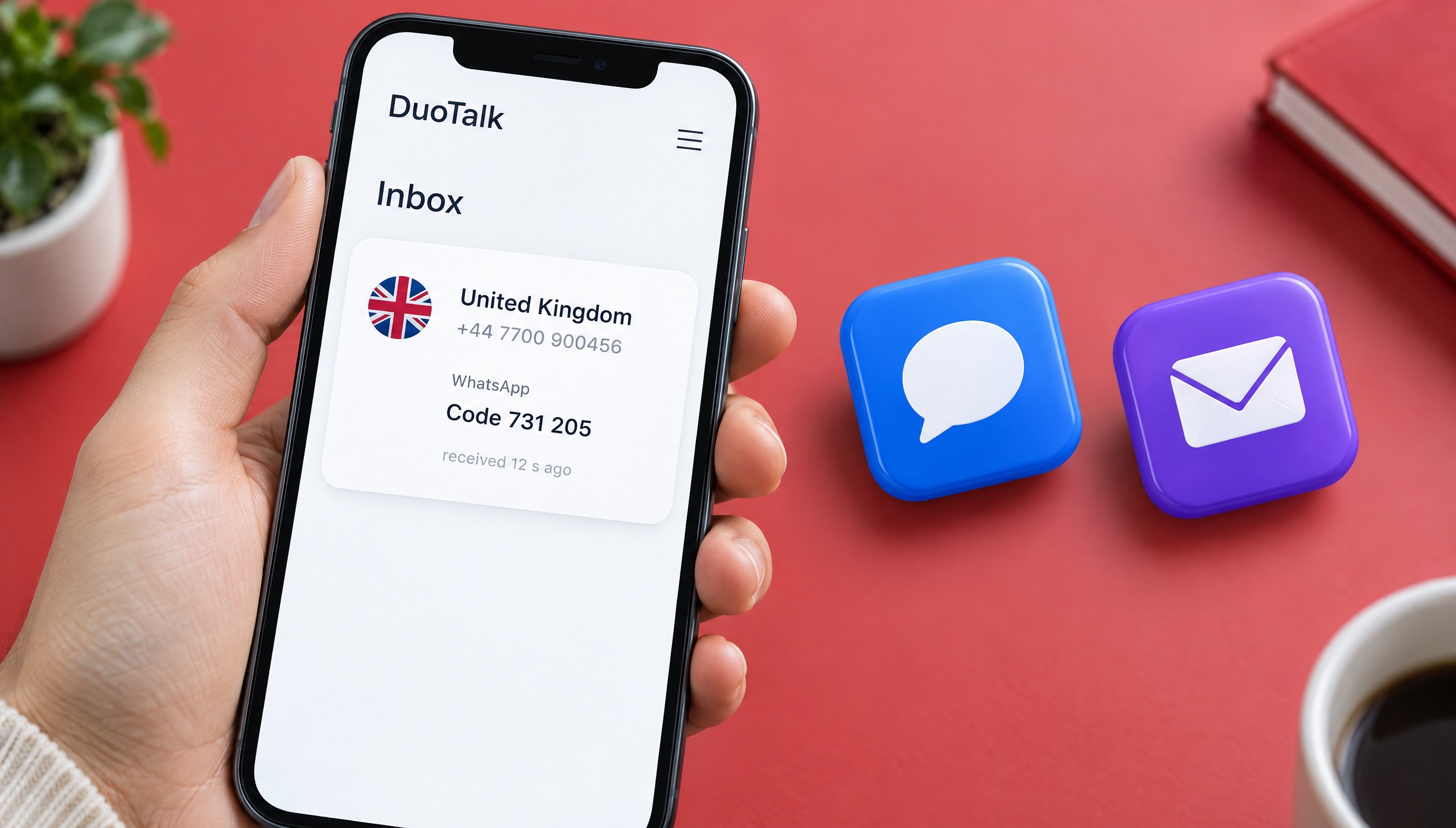
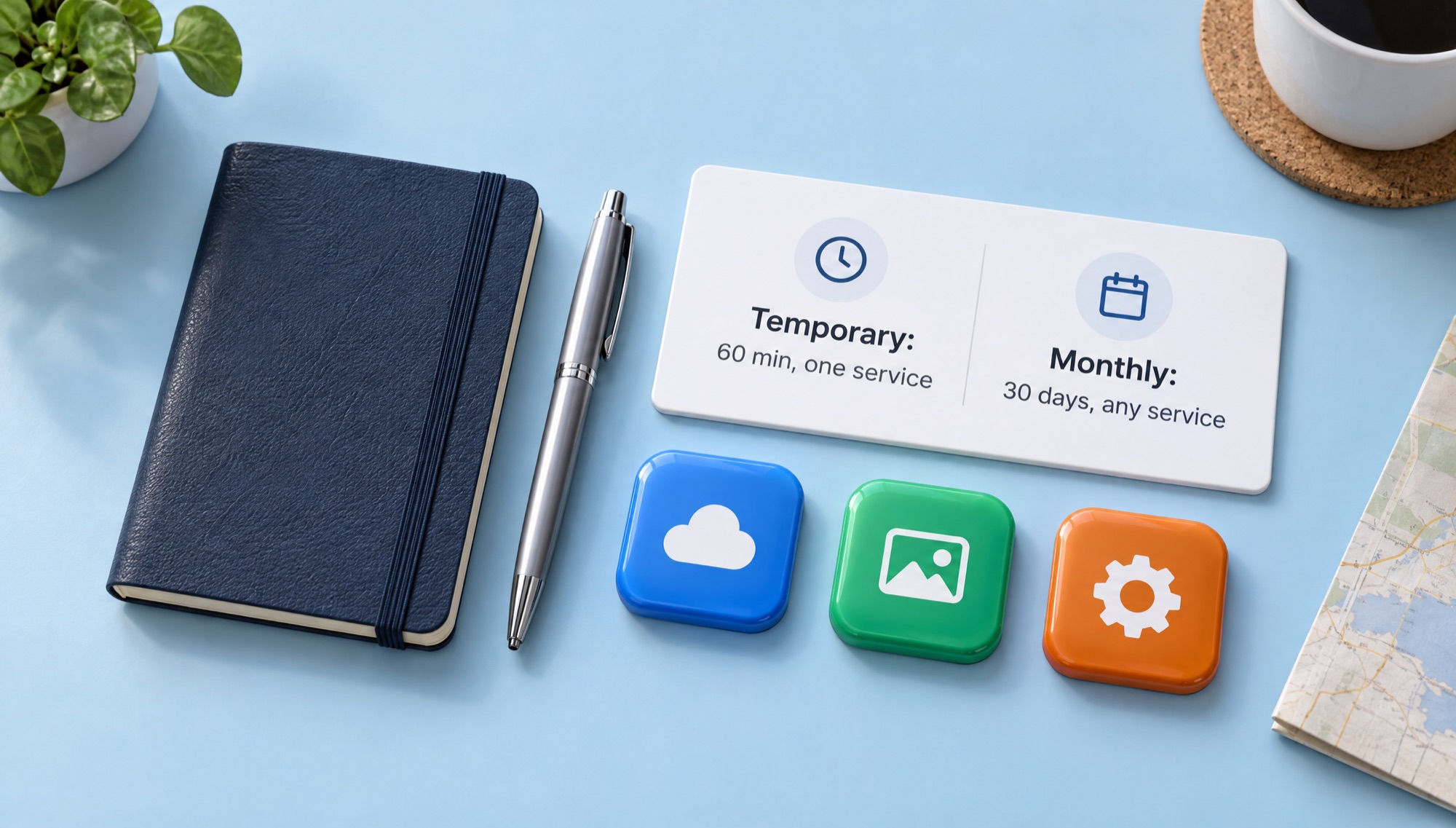
A temporary UK phone number lasts 60 minutes and receives codes from one service; a UK phone number rental (a monthly number) lasts 30 days and receives SMS from any service. Pick temporary for a single sign-up and monthly for any account you will log back into, recover or verify again.
| Temporary UK number | Monthly UK number (rental) | |
|---|---|---|
| How long it works | 60 minutes; 7 extra minutes after the first code | 30 days |
| Which services can text it | Only the service chosen at purchase | Any service |
| Best for | One-off sign-ups, testing, a quick UK temporary SMS number | Accounts you keep: re-login, recovery, new device checks |
| If no code arrives | Extend once for free, then report for a refund to balance | Refund on request within 48 hours if it never receives an SMS |
| Renewal | Paid renewal for another hour, until its end date | Renew from your numbers list before day 30; nothing renews automatically |
| Availability | Shown live per service | Some countries only; the picker shows if UK monthly numbers are in stock |
Decision rules you can use in ten seconds
- Use a temporary UK mobile number if you only need one code, today, for an account you would not mind losing access to.
- Use a monthly number if the app may ask you to verify the number again (new phone, password reset, "confirm it's you" checks).
- Use a monthly number if you want codes from two or more apps on the same +44 number.
- Use your own UK SIM if the account is a bank, a payment service or a government login, or if you need to make calls.
- Use neither if the app lets you sign up with email or an authenticator app and you would rather not give any number.
Two quick examples
A one-off marketplace sign-up. You want to message one seller on a UK classifieds app. A temporary UK phone number for OTP is enough: get the code, then add your email to the account. You will not have the number in six months, so keep this for low-value accounts.
A messaging account you will keep for a year. You live in Spain, chat with family in Leeds and want a +44 profile. Rent a UK phone number monthly and renew it every 30 days, because messaging apps can ask you to re-verify on a new device. Turn on the app's two-step PIN too. This is the usual setup for a UK number for WhatsApp verification. The virtual number for WhatsApp page explains the WhatsApp side in detail.
The difference between the two types is explained for every country on the temporary phone number page.
UK Virtual Number Pricing
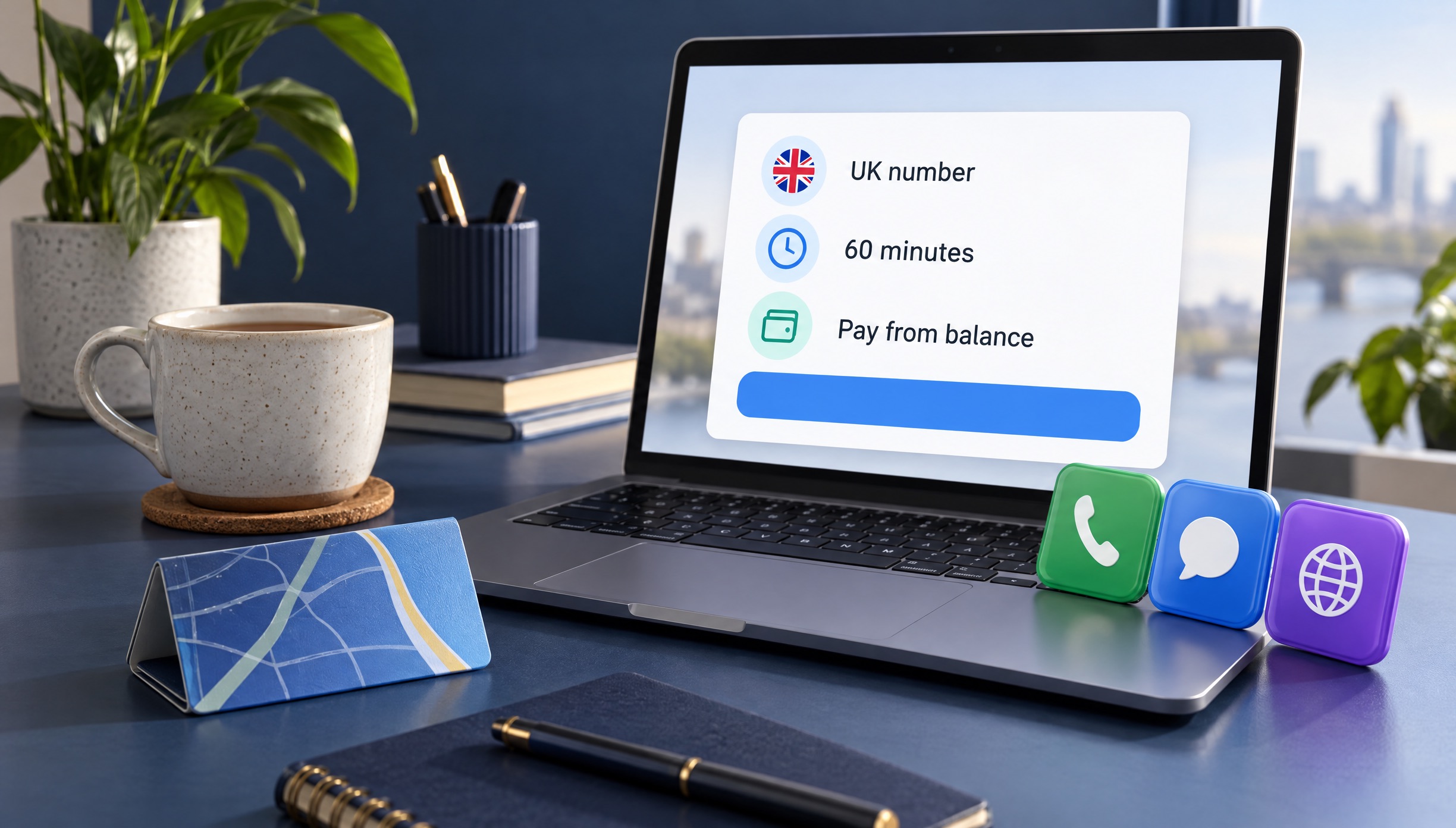
The price of a UK virtual number on DuoTalk depends on the service you choose, the number type (temporary or monthly) and current stock; see the live price in the picker above. There is no subscription, no setup fee and nothing added at checkout.
We do not print prices here because they change with demand. What you see in the live picker at the top of this page is the price you pay to buy +44 phone number access. Here is what moves it:
| Price factor | Why it matters |
|---|---|
| The service you pick | Codes for heavily used apps can cost more than codes for quieter ones, because demand for those routes is higher |
| Number type | A monthly number that takes SMS from any service for 30 days tends to cost more than a 60-minute number for one service |
| Stock | When few UK numbers are free for a service, the price can rise; when stock is high, it can fall |
| Country | UK mobile routes are usually priced differently from US, Canadian or other numbers; compare in the picker |
How to keep a cheap UK virtual number cheap
- Buy the right type the first time. A temporary number for an account you keep often ends up costing more, because you lose access and pay again for a new account.
- Use the free extension. If no code arrives, extend once at no cost before you buy anything new.
- Report numbers that fail. If the code never arrives, report it; approved refunds return to your balance for the next try.
Private vs public UK numbers
Free UK numbers exist on public inbox websites, but every code sent to them is visible to anyone and apps often block them. A paid UK virtual number is private: one buyer at a time, its texts shown only in your inbox. That matters, because whoever can read a verification code can often take over the account. If you are deciding between options, our SMS verification service page explains how private numbers compare for every country.
Supported SMS Services and Limitations
A virtual UK phone number for SMS from DuoTalk works for most apps that accept a +44 mobile number for SMS verification, such as messaging apps, marketplaces, social networks and AI tools. It is the wrong choice for UK banks, payment apps and government or NHS logins, which should always get your own UK SIM.
| Type of service | Fit for a UK virtual number | Recommended number type |
|---|---|---|
| Messaging (WhatsApp, Telegram, Signal, Viber) | Good; follow the app's own security steps afterwards | Monthly, because re-verification is common |
| Marketplaces and classifieds (Vinted, Gumtree, eBay-style apps) | Good for sign-up; one number per account | Temporary or monthly |
| Social media (Instagram, Facebook, TikTok, X) | Usually fine; checks can repeat later | Monthly for accounts you keep |
| Email and accounts (Google, Microsoft, Yahoo, Apple) | Often fine; recovery needs the number again | Monthly |
| AI tools and apps (ChatGPT, Perplexity, Discord) | Usually fine | Temporary |
| Banks, payment apps, crypto exchanges | Not suitable; use your own number and follow their identity rules | Your own UK SIM |
| GOV.UK One Login, NHS App, HMRC | Not suitable | Your own UK SIM or an authenticator app |
The full list of services for each UK phone number online is in the live picker. For Telegram, the virtual number for Telegram page covers usernames and privacy settings.
Official limits worth knowing
- GOV.UK One Login says you cannot get a security code by text if your number is registered outside the UK, and asks people with non-UK numbers to use a UK mobile number or an authenticator app. Its codes expire after 15 minutes (GOV.UK guidance, updated 28 July 2026). For government services, the authenticator app is the right route, not a virtual number.
- WhatsApp needs a number in full international format and sends a 6-digit registration code by SMS or call (WhatsApp Help Center). Since DuoTalk numbers do not take calls, choose the SMS option.
- SMS codes are a weaker security method. The US standards body NIST classes SMS and voice codes as a "restricted" authenticator in SP 800-63B. After sign-up, add an authenticator app or a passkey where the app supports it.
What a DuoTalk UK number cannot do
- It receives SMS only. It cannot send texts, make calls or take calls, so voice-call codes will not work.
- A temporary number takes texts from one service only, the one you picked at purchase.
- A code does not guarantee acceptance. Apps change their rules, and a service can still refuse a number after it has sent a code. If that happens, report it in the inbox.
- It is not for breaking rules. Do not use any number to evade a ban, create fake accounts at scale or get around identity checks. Use it for privacy, travel, testing and keeping your real number safe.
Watch out for scam texts
The UK sees many fake texts that pretend to be parcel firms, HMRC or banks. If a message you did not request contains a code or a link, ignore it and never share the code. On a UK SIM you can forward suspicious texts free to 7726, as the National Cyber Security Centre explains. A private UK SMS verification number used only for sign-ups keeps your personal number off many of those lists to begin with.
If an app refuses the number outright, our guide to why a virtual number is not accepted lists the usual causes and fixes.
Sources
- Ofcom: The National Telephone Numbering Plan
- Ofcom: Telephone numbers for use in TV and radio drama programmes
- ITU-T Recommendation E.164: The international public telecommunication numbering plan
- GOV.UK: Getting a security code for GOV.UK One Login (updated 28 July 2026)
- WhatsApp Help Center: How to register your phone number
- NIST SP 800-63B: Digital Identity Guidelines, Authentication and Authenticator Management
- National Cyber Security Centre: Report a scam text message
Last reviewed: November 2026
Frequently asked questions
How can I get a UK phone number without living in the UK?
You can get a UK phone number without living in the UK by using a virtual +44 mobile number. On DuoTalk you sign up with an email, top up in crypto, choose United Kingdom and the service in the live picker, and the number appears in your online inbox. It is a UK phone number without a SIM, an address or ID. Remember that some UK services, such as banks and GOV.UK One Login, still expect a UK SIM in your own name.
Can a UK virtual number receive SMS verification codes?
Yes, a virtual UK mobile number can receive SMS verification codes if it is a mobile-type number starting +44 7. DuoTalk shows each text in a private web inbox, usually within seconds on tested routes. Landline, 03 and 0800 numbers generally cannot receive codes, which is why calling-app numbers often fail. Receiving the code does not guarantee the app will accept the number, because each service sets its own rules.
Can I use a UK virtual number for WhatsApp verification?
Usually yes. WhatsApp sends a 6-digit registration code by SMS to the number you enter in international format, so a private +44 7 number can receive it. Choose the SMS option, because DuoTalk numbers do not take calls. Since WhatsApp can ask you to verify again on a new phone, a monthly UK number is the safer choice, and you should turn on WhatsApp's two-step verification PIN right after setup.
How long does a temporary UK phone number last?
A temporary UK phone number on DuoTalk lasts 60 minutes from purchase. When the first code arrives, the number stays open 7 more minutes in case the app sends a second one. If no code arrives, you can extend once for free for another hour; if it still fails, report it for a reviewed refund to your balance. For longer use, a monthly number lasts 30 days and can be renewed.
Is there a free UK number for SMS verification?
Free UK numbers exist on public inbox websites, but they are not private: anyone can read the codes, the numbers are shared by many users, and many apps block them. That makes them risky for any account you care about, because a visible code can let a stranger take the account over. A paid private UK number costs little, keeps codes to you and can be reported for a refund to your balance if no code arrives. Our free vs paid UK virtual numbers guide compares both.
Do UK mobile numbers always start with 07?
Inside the UK, mobile numbers start with 07 and have 11 digits, for example 07700 900123. In international format the 0 is dropped, so the same number is written +44 7700 900123. Not every 07 number is a mobile: 070 numbers are personal numbers and most 076 numbers are pagers, and verification systems usually reject both. Real mobiles use 071 to 075 and 077 to 079.
Can I use a UK virtual number for my bank or GOV.UK?
No, use your own UK SIM for banks, payment apps, GOV.UK One Login, HMRC and the NHS App. These services link your number to your identity and use it to protect your money and records, so a number you might lose later is a real risk. GOV.UK One Login also says text codes only go to UK-registered numbers and suggests an authenticator app for everyone else.