Temporary Phone Numbers for SMS Verification
A temporary phone number lets you receive an SMS verification code without giving out your personal number. Pick a country and service in the live picker, get a private number for 60 minutes or 30 days, and read your code in an inbox only you can see.
Live prices and stock
Prices and stock on DuoTalk are live. They change during the day by country and service, so the number picker on this page loads the current price and the numbers in stock when the page opens in your browser. Choose the country and the service, check the live price, then press Get Your Temporary Number.
The short answer: A temporary phone number is a real phone number you use for a short time, usually to receive one SMS verification code, so you never hand your personal number to a new app. On DuoTalk you buy a private one for a single service and 60 minutes, or for any service and 30 days, and read the code in your own online inbox. If no code arrives on a short-term number, you can extend once for free or report it for a refund to your balance after review.
Get a Temporary Phone Number Online
You can get a temporary phone number online in about two minutes: top up your DuoTalk balance, choose a country and a service in the live picker at the top of this page, and press the button. The number appears in your inbox right away, ready to paste into the sign-up form.
DuoTalk (theduotalk.io) is a web app that sells private virtual phone numbers for receiving SMS verification codes. There is no SIM card to buy and no contract. The number is yours alone for the time you paid for, and the codes are shown only to you.
People search for the same thing under many names: a temp phone number, a disposable phone number, a one time phone number, a short term phone number or a temporary virtual number. They all describe a temporary mobile number online that you use for a code and then let go. DuoTalk's short-term option is exactly that, a virtual temporary mobile number with a private inbox, and the monthly option covers the cases where "temporary" needs to last a few weeks.
What you need before you start
| You need | Why | Tip |
|---|---|---|
| A DuoTalk balance | Numbers are paid from your balance | Top up first, since crypto needs network confirmation |
| The sign-up form open | The short-term clock starts when you buy | Get to the "enter phone number" step first |
| The right service name | A short-term number only receives SMS from the service you pick | Pick exactly the app that will text you |
| The right country | Many apps check that the number matches the region you choose | Set the form's country to the number's country |
Who uses a temporary phone number
People buy a temporary phone number for ordinary, honest reasons:
- Privacy. A shopping site, a newsletter, a forum or a one-off trial does not need your personal mobile. Every app that holds it is one more place it can leak from.
- Travel. Your home SIM may be off or roaming, and a local app wants a local number for one code.
- Testing. Developers and QA teams test sign-up flows without burning their own numbers.
- Separating identities. A side project or a work tool gets its own number instead of your family one.
What a temporary phone number is not for: getting around a ban, creating fake accounts at scale, or skipping identity checks at banks and payment apps. Those break the service's terms.
How Temporary Phone Numbers Work
A temporary phone number for SMS works like a short rental: the number is assigned to you, the app sends its SMS code to it, the code appears in your online inbox, and when the time ends the number is no longer yours.
Here is the path of one code, in order:
- You choose a country and a service in the live picker and buy the number.
- DuoTalk assigns you a number in that country and starts the timer.
- You type the number into the app's form and ask for an SMS (not a voice call).
- The app sends its one-time code through the mobile network to that number.
- The SMS lands in your DuoTalk inbox, usually within seconds on tested routes.
- You copy the code into the app and finish the sign-up.
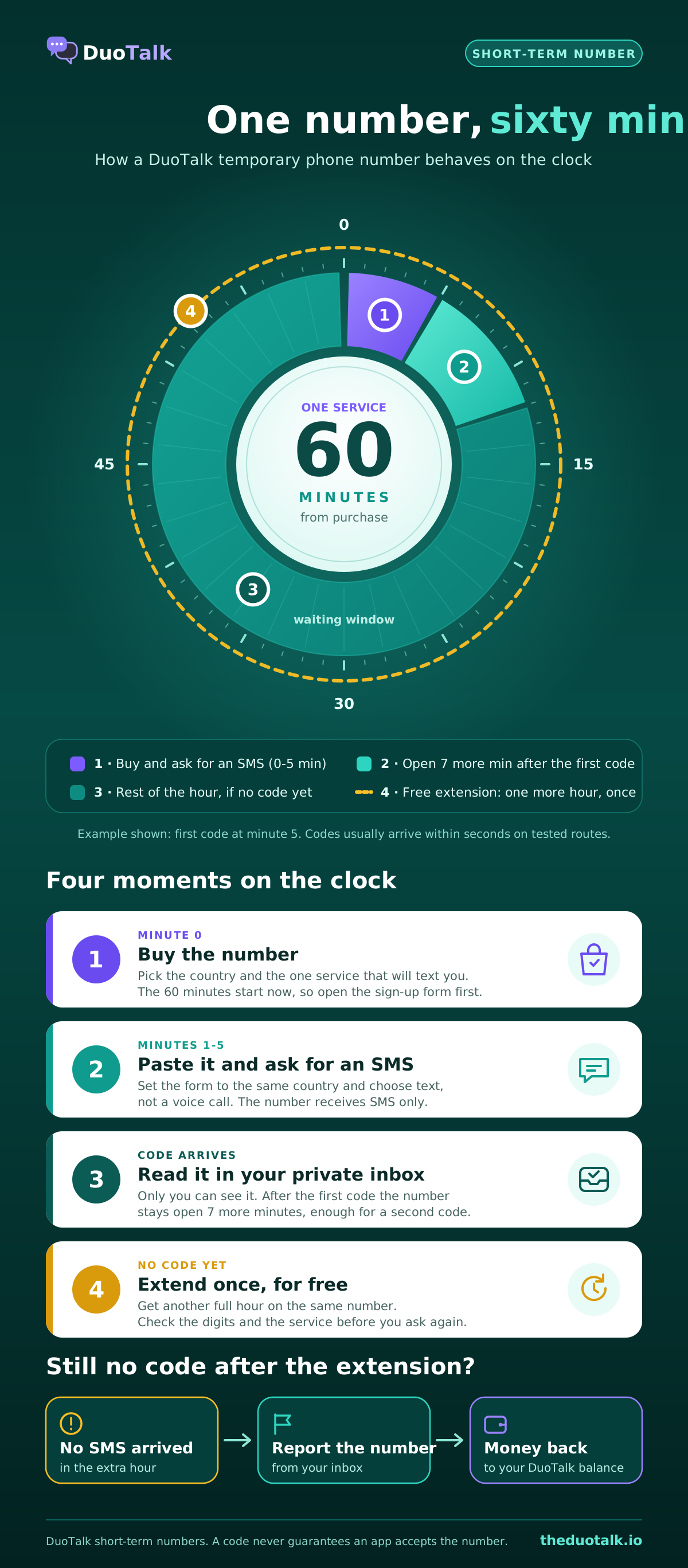
The 60-minute clock, minute by minute
A DuoTalk short-term number follows one clear set of rules, so you always know where you stand.
| Moment | What happens |
|---|---|
| Minute 0 | You buy the number. It is yours for 60 minutes |
| First code arrives | The number stays open 7 more minutes, enough for a second code |
| No code yet | You can extend once for free: another hour on the same number |
| Still nothing | Report it; after review, the price goes back to your DuoTalk balance when the number was at fault |
| Need it again | Once a code has arrived or the hour is over, you can pay to renew the same number for another hour, until its end date |
| Time ends | The number closes and stops receiving SMS for you; codes already received stay in your history |
The full timer rules are in our help articles on how long a number lasts and free extension and renewal.
What a temporary number can and cannot do
- Can: receive SMS verification codes (OTP) from the service you chose, show them in a private inbox, and work from any device with a browser. A temporary phone number with no SIM card means nothing to insert, swap or lose.
- Cannot: send SMS, make or take calls, or receive codes from a different service than the one you picked (on short-term numbers).
- Cannot promise: that an app will accept the number. Getting a code does not guarantee the service keeps the account open, because apps change their rules. We say this up front so you can choose the right number type.
For the deeper walkthrough of a single sign-up, including what to do when a site says "this number cannot be used", read our guide to using a temporary phone number for verification. For how routes, short codes and number pools behave behind the scenes, see how temporary SMS numbers work.
Temporary Numbers Available by Country
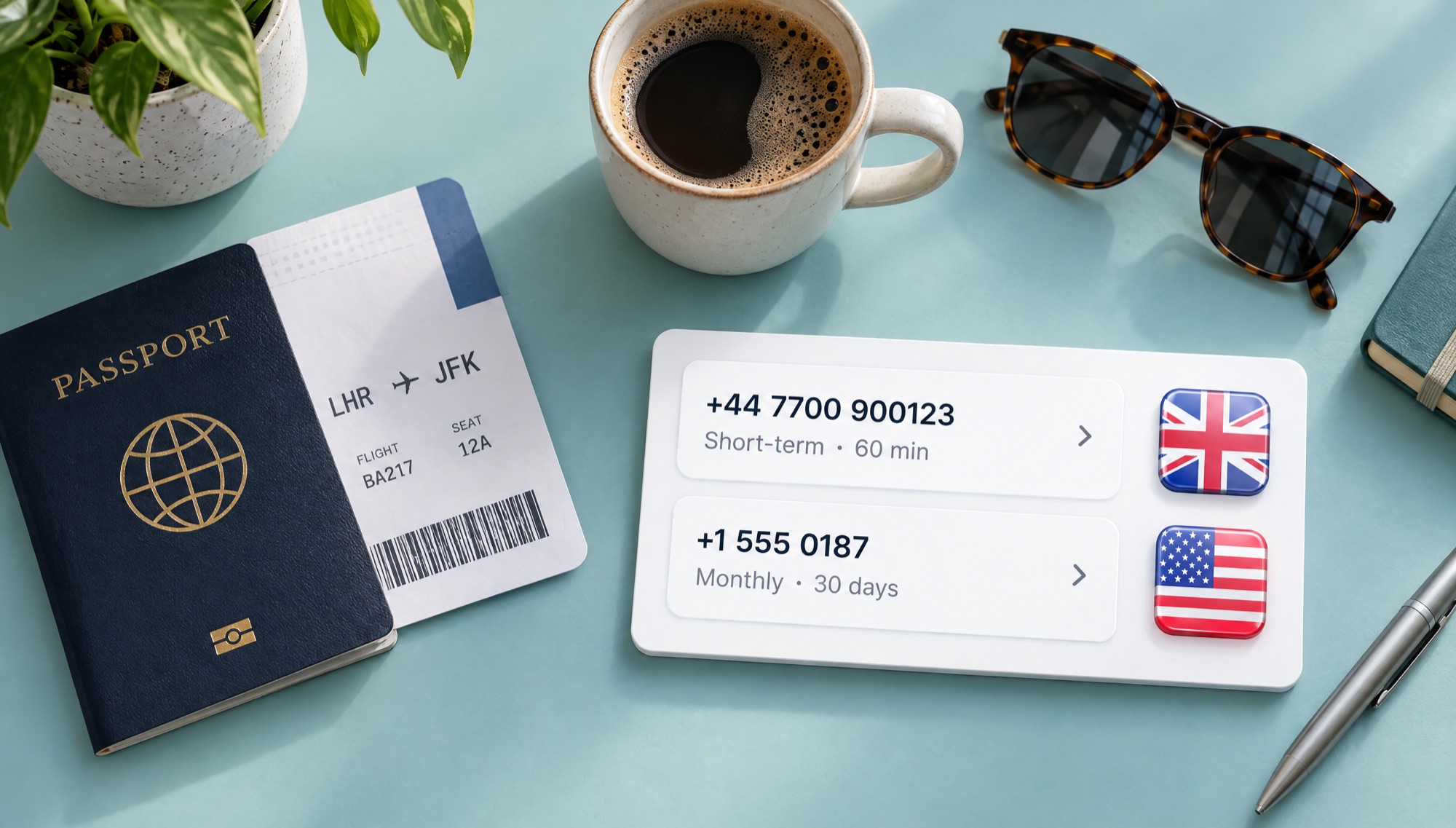
You can get a temporary phone number in the United States, the United Kingdom, Canada and many more countries; the list changes with stock, so the live picker at the top of this page always shows what is available right now. Choose the country the app expects, not the country you are in.
| Country | Code and format | Good to know | Page |
|---|---|---|---|
| United States | +1, 10 digits (3-digit area code + 7) | Most US apps want all 10 digits with the form set to United States | temporary phone number USA |
| United Kingdom | +44, mobiles start 07 (11 digits nationally) | Drop the leading 0 after +44 when a form asks for the international format | temporary phone number UK |
| Canada | +1, 10 digits, shares the North American plan with the US | Set the form to Canada, not the US, even though the code is the same | temporary phone number Canada |
| Hong Kong | +852, 8 digits | Local SIM cards need real-name registration, so check what the app accepts | temporary phone number Hong Kong |
| Indonesia | +62, mobiles start 8 after the country code | Local prepaid SIMs must be registered with ID, and some apps ask for a +62 number for local features | temporary phone number Indonesia |
All of these use the international E.164 format, which is the global standard that says a phone number is a country code followed by a national number, at most 15 digits in total.
How to pick the country
Use these rules in order:
- If the app is region-locked, match the region. A local bank, delivery app or marketplace that only works in one country wants that country's number.
- If the app is global, pick a country with stock for that service. The live picker shows stock per service and country, so a country with plenty of numbers for your app is a sensible default.
- If you will travel, think about where you will log in from. Some apps ask again for a code when they see a new country, so a number you can keep (monthly) helps.
Popular countries: USA virtual phone number, UK virtual phone number, Canada virtual phone number, Hong Kong virtual phone number, Indonesia virtual phone number. For every country and service in one place, browse all numbers.
Receive SMS with a Temporary Number
To receive SMS with a temporary number (a temp number for SMS verification), buy a number for the exact app, paste it into the app's phone field, ask for a text message, and watch your DuoTalk inbox. The code shows up in the same place you bought the number, usually within seconds. You never need a separate temporary phone number for text messages and another for codes: the same temp number can receive SMS online for the one service you picked.
Step by step
- Top up your balance. Crypto only: USDT (TRC20 or BEP20), TRX, LTC, BTC or ETH. The balance is added automatically once the network confirms the payment.
- Open the app's sign-up form and stop at the phone number step.
- In the live picker, choose the country and the service, check the live price and stock, and press "Get Number".
- Copy the number from your inbox and paste it into the app. Set the app's country selector to the same country.
- Ask for an SMS code. If the app offers "call me" or a WhatsApp code, choose SMS: a temporary number receives text messages only.
- Read the code in your private inbox and type it in before the app's own code expires (many apps expire their codes after a few minutes, so the code, not the number, is often what runs out first).
- Finish the account properly. Add an email address, set a strong password, and turn on an authenticator app if the service offers one, so you do not depend on this number later.
Using a temporary number for popular apps
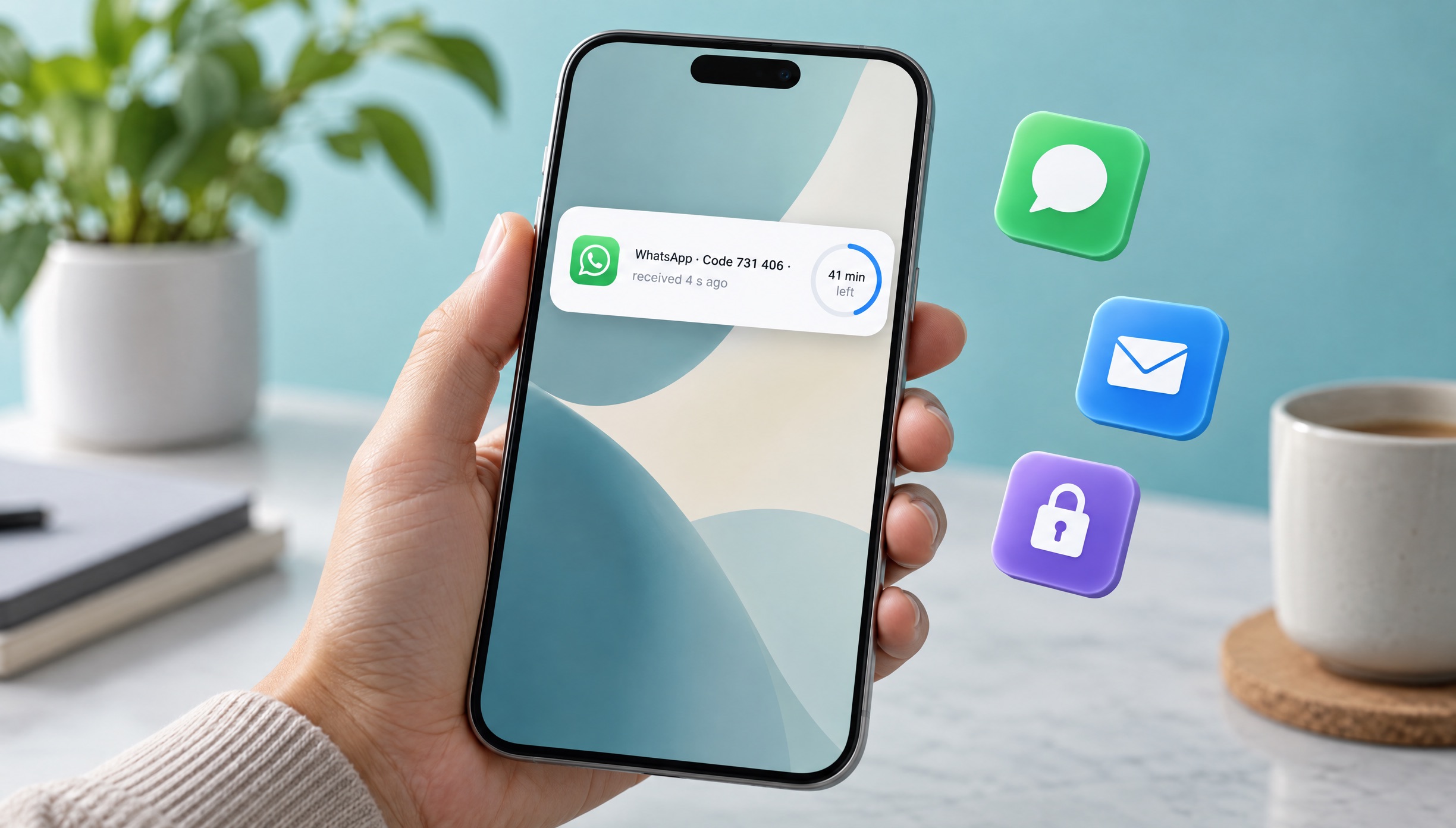
Messaging and social apps are the most common reason people need a temporary number for OTP codes. Each has its own rules:
| Service | What to know | Page |
|---|---|---|
| Your number is your account; use a number you can keep if you want the account long term | virtual number for WhatsApp | |
| Telegram | Set a username and privacy settings so people never see the number | virtual number for Telegram |
| Add email and two-factor login so recovery does not depend on SMS | virtual number for Facebook verification | |
| Phone checks can appear later at checkpoints, not only at sign-up | Instagram verification phone number | |
| TikTok | Follow age and account rules; never use numbers to get around bans | virtual number for TikTok |
The same steps work when you need a temporary number for Telegram, a temporary phone number for Discord or a temporary phone number for Gmail verification: pick that service in the picker so the number accepts its SMS.
Google is a good example of how apps react to numbers. Its help centre says that if you see "This phone number cannot be used for verification" or "This phone number has been used too many times for verification", you should try a different number. That is why a fresh, private number matters more than a free one.
If the code does not arrive
Work through this list before you do anything else (the DuoTalk help article on codes that do not arrive has the same steps, and our guide to not receiving verification codes covers causes across all apps):
- Check the digits. Compare the number in the form and in your inbox, digit for digit, and check the country selector.
- Check the service. On a short-term number, a code from a different app will not show up.
- Wait two or three minutes, then ask once more. Repeated requests can trigger the app's rate limit.
- Extend once for free if the hour is running out. You keep the same number for another hour.
- Report the number if nothing comes. DuoTalk reviews every report and refunds the price to your balance when the number was at fault, and you can try another country or number.
Temporary vs Permanent Virtual Phone Numbers
A temporary phone number is for one code today; a longer-term number is for an account you will log in to again. The difference only shows up later, when the app asks for a code to log in, reset a password or confirm a new device.
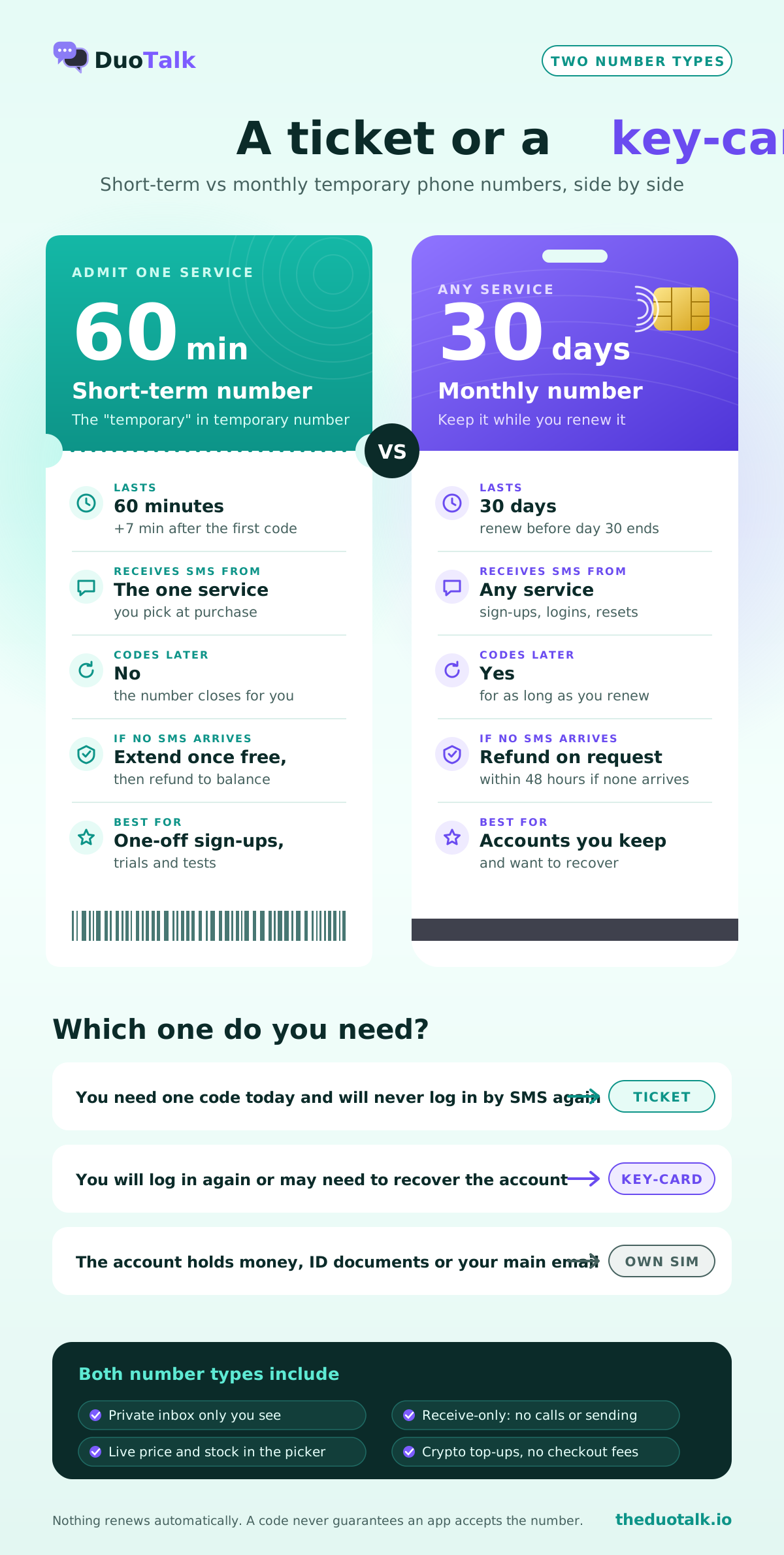
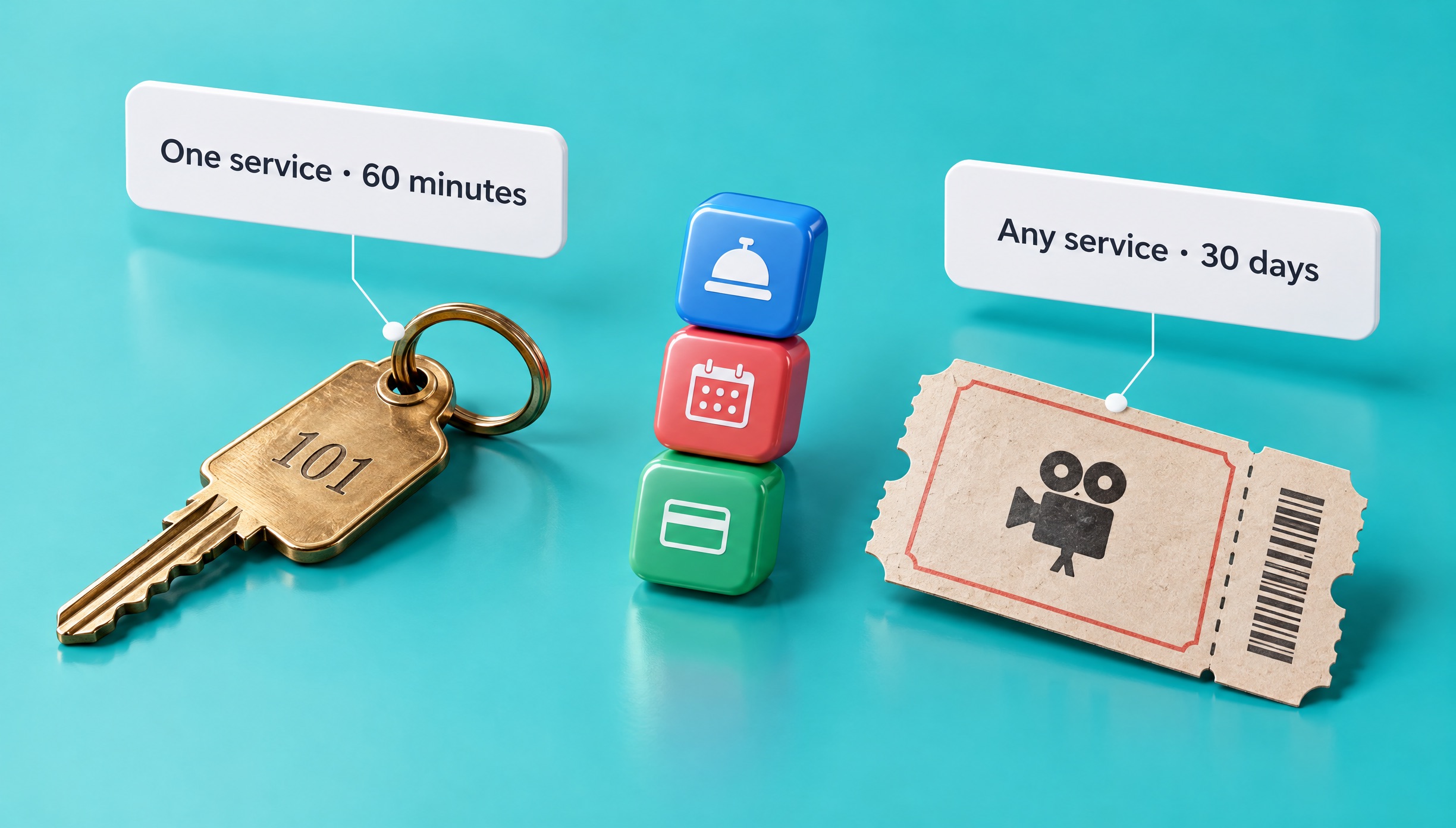
DuoTalk offers two number types. A short-term number lasts 60 minutes and receives SMS from the one service you pick. A monthly number lasts 30 days, receives SMS from any service, and can be renewed from your numbers list before the 30 days end. It is not permanent in the way your own SIM is, but it lets you keep the same number for as long as you keep renewing it. Nothing renews automatically, so set a reminder.
| Short-term (temporary) | Monthly | Your own SIM | |
|---|---|---|---|
| How long | 60 minutes (+7 minutes after first code) | 30 days, renew to keep it | As long as you pay your carrier |
| Services | The one you pick | Any service | Any |
| Codes later (login, reset) | No; paid one-hour renewals only until its end date | Yes, while you renew | Yes |
| If no SMS arrives | Extend once free, then refund to balance | Refund on request within 48 hours if it never gets an SMS | Contact your carrier |
| Best for | One-off sign-ups, trials, tests | Accounts you keep, second numbers | Banking, government, main email |
Decision rules
- Use a temporary number if you need one code now and will not care if you lose the account later.
- Use a monthly number if you will log in again, might need to recover the account, or the app often re-checks the phone.
- Use your own SIM if the account holds money, identity documents, your main email or anything you cannot afford to lose.
Why this matters: phone numbers do not belong to you forever. In the US, the FCC runs a Reassigned Numbers Database because disconnected numbers are handed to new customers after an aging period. A virtual number can also be given to someone else after a quiet period once your access ends (see the number lifecycle), so an account that still points at an old temporary number could send its reset code to the next holder. Add an email and an authenticator to anything you keep.
For a full side-by-side guide with worked examples, see one-time vs monthly virtual numbers and disposable vs dedicated phone numbers.
Private vs Shared Temporary Numbers
A private temporary number shows your code only to you; a shared (public) number shows every message to anyone who opens the page. For any account you care about, private is the only safe choice.
Sites that offer a temporary phone number free of charge work by listing a few numbers on a public web page. Every visitor sees the same inbox. That causes three problems:
- Anyone can read your code and type it in first.
- Anyone can reset your account later by asking for a "forgot password" code on the same number.
- Apps block them. Heavily reused public numbers are often refused with "number already in use" or "cannot be used for verification".
| Shared / public number | Private temporary number (DuoTalk) | |
|---|---|---|
| Who sees the SMS | Anyone on the page | Only you, in your inbox |
| Account takeover risk | High | Low while the number is yours |
| Accepted by apps | Often refused | Better odds, never guaranteed |
| Cost | Free, paid for with your privacy | A small fee per number |
| If no code | Nothing you can do | Extend once free, then refund to balance |
Our honest view: a free public number is fine only for a test account you would happily give to a stranger. A disposable phone number for verification can still be private; "disposable" should describe how long you keep it, not who else can read it. A private disposable number for SMS gives you both. For anything else, a paid temporary phone number with a private inbox is the safer choice. We compare both routes in detail in free vs paid SMS verification.
Keep your account safe after sign-up
SMS codes are a convenient but weaker lock. NIST's digital identity guidelines (SP 800-63B) treat sending codes over the public phone network as a "restricted" authenticator and require services to offer other options, and CISA's mobile communications guidance recommends phishing-resistant multi-factor authentication over SMS. In practice:
- Add a recovery email you control.
- Turn on an authenticator app or passkey where the app supports it.
- Never reuse a temporary number for banking, crypto exchanges or government services. Follow those services' identity rules and use a number you can keep.
Temporary Phone Number Pricing
The price of a temporary phone number depends on the country, the service and the number type, and it changes with stock, so see the live price in the picker above before you buy. There are no fees or tax added at checkout: you pay the price shown from your DuoTalk balance.
What moves the price
| Factor | Effect on price | Why |
|---|---|---|
| Country | Varies a lot | Local route costs and supply differ by country |
| Service | Popular apps can cost more | Demand for that app's codes is higher |
| Number type | Monthly tends to cost more than short-term | You hold the number for 30 days and any service can text it |
| Stock | Low stock can raise the price | Fewer fresh numbers for that service and country |
Buy or rent?
When you buy a temporary phone number on DuoTalk you are really renting it: you pay for 60 minutes or 30 days, and after your access ends the number may later be given to someone else. If you want to rent a temporary phone number for longer, renew a monthly number from your numbers list before it ends. If you prefer a temporary phone number app, download the DuoTalk app for your phone.
How to keep the cost low
- Buy short-term for one-off sign-ups. Do not pay for 30 days if you need one code.
- Buy monthly for accounts you keep. Losing an account and starting again costs more than a renewal.
- Check two or three countries in the picker if the app is global. Prices differ.
- Use the free extension before you give up on a number.
- Report numbers that never get a code. Approved refunds return to your balance for your next try.
Paying with crypto
Top-ups are crypto only (USDT on TRC20 or BEP20, TRX, LTC, BTC, ETH) and land automatically once the network confirms; the minimum top-up is $15, and you send the exact amount on the network shown. For the full buying walkthrough, read how to buy a temporary phone number online.
More ways to get a number
- The hub for every country and service: receive SMS online.
- Verification for any app: SMS verification service.
- Longer-term options and filters: buy virtual phone number.
- The step-by-step privacy guide: how to receive SMS online.
- A dedicated guide for the US: how to get a temporary US phone number.
- Buying advice for longer-term numbers: how to buy a virtual phone number.
Sources
- NIST SP 800-63B, Digital Identity Guidelines: Authentication and Authenticator Management
- CISA, Mobile Communications Best Practice Guidance
- Google Account Help, Verify your account
- FCC, Reassigned Numbers Database
- ITU-T Recommendation E.164, The international public telecommunication numbering plan
- OFCA, Real-name Registration Programme for SIM Cards
Last reviewed: November 2026
Frequently asked questions
How do I get a temporary phone number?
Get a temporary phone number by topping up a balance with a provider, choosing a country and the app that will text you, and buying a number. On DuoTalk you do this in the live picker at the top of this page; the number appears in your private inbox immediately. Paste it into the app, ask for an SMS code, and read the code in your inbox. It usually takes two to five minutes once your balance is ready.
Can I get a temporary phone number for free?
Yes, free temporary numbers exist, but they are public: anyone can read the codes on the same web page. That means a stranger can see your code or reset your account later, and many apps already block those numbers. Free numbers are fine for a throwaway test. For an account you want to keep, a paid private temporary phone number is safer and tends to be accepted more often, though no number is ever guaranteed.
How long does a temporary phone number last?
It depends on the provider. A DuoTalk short-term number lasts 60 minutes from purchase. When the first code arrives it stays open 7 more minutes for a second code, and if no code comes you can extend once for free for another hour. The access time rules cover every case. A monthly number lasts 30 days and can be renewed before it ends. Nothing renews automatically, so renew from your numbers list if you want to keep it.
Can I use a temporary number for WhatsApp or Telegram?
Often yes, but think about what happens later. WhatsApp and Telegram tie your account to your number and may ask for a code again when you log in on a new device. A 60-minute number cannot receive that later code. If you plan to keep the account, use a monthly number and renew it, then set a two-step PIN or password inside the app. See our WhatsApp and Telegram pages for the details of each.
Can a temporary phone number be traced?
A temporary number hides your personal number from the app, but it is not a tool for anonymity from the law. The number is still routed through carriers and providers that keep their own records, and the app still sees your device, IP address and account activity. Use a temporary number for privacy from spam, leaks and data brokers. Do not use it for anything illegal or to break a service's rules.
Why does an app say my temporary number cannot be used?
Apps check numbers before sending codes. They may refuse a number because of its line type, because it was used too many times before, because its country does not match your form, or because of their own risk rules. Try a different country or a fresh number, and use a monthly number for stricter apps. If a short-term number never gets a code, report it for a reviewed refund to your balance.
Can a temporary number receive calls or send texts?
No. A DuoTalk temporary number receives SMS only. It cannot send messages, make calls or receive calls, so always choose the "send SMS" or "text me" option when an app offers a voice call. If you need a number for conversations, a second line or an eSIM from a carrier fits better.