Virtual Number for TikTok Verification
A virtual number for TikTok lets you receive the TikTok SMS verification code in a private online inbox instead of on your personal SIM. Choose a country and a one-time or monthly number below, enter it in TikTok, and read the code in seconds on most tested routes.
Live prices and stock
Prices and stock on DuoTalk are live. They change during the day by country and service, so the number picker on this page loads the current price and the numbers in stock when the page opens in your browser. Choose or change the country and the service, check the live price, then press Get a TikTok Number.
The short answer: A virtual number for TikTok is a private phone number you rent online to receive the TikTok verification code, so your personal SIM never touches the account. Pick TikTok and a country in the live picker at the top of this page, enter the number in TikTok, and read the code in your DuoTalk inbox. Use a one-time number for a quick check and a monthly number for an account you plan to keep and log back into.
Get a Virtual Number for TikTok
You can get a virtual number for TikTok in about two minutes, and it works as your TikTok SMS verification number: top up your DuoTalk balance, choose TikTok and a country in the live picker, and copy the number into TikTok's "Use phone" screen. The code lands in a private inbox that only you can open.
DuoTalk (theduotalk.io) is a web app that sells private virtual phone numbers for receiving SMS verification codes, either short-term for one service or monthly for any service. Every number you buy is yours alone while it is active, so nobody else can read your TikTok code or reuse it.
People pick a separate phone number for TikTok for practical reasons:
- Privacy. TikTok can use the TikTok account phone number to suggest your profile to people who have your number saved in their contacts. A number that is not your personal SIM keeps that link out of the picture.
- Separating work from personal life. A creator or small brand often wants the account's login number to be different from the owner's private mobile.
- Travel or no local SIM. If your SIM is abroad or switched off, you can still receive TikTok SMS online.
What you get with DuoTalk:
| Feature | One-time (short-term) number | Monthly number |
|---|---|---|
| How long it works | 60 minutes after purchase, plus 7 more minutes after the first code arrives; can be renewed for another paid hour before it ends | 30 days, renew manually before it ends |
| Which senders it receives from | Only TikTok, the service you chose | Any service |
| Best for | A single TikTok phone verification | A TikTok account you will log into again |
| If no code arrives | Extend once for free on the same number, then report it and the money returns to your DuoTalk balance | Refund on request within 48 hours if the number never receives an SMS |
| Calls and outgoing SMS | Not supported (receive only) | Not supported (receive only) |
| Availability | Many countries, live stock shown in the picker | Some countries only |
A code arriving never guarantees that TikTok will accept a number: TikTok can still refuse a number after it sends a code, and its checks change over time. Refunds cover numbers that never receive a code, so a code arriving is not the same as an account being accepted.
How TikTok Phone Verification Works with a Virtual Number
TikTok phone verification sends a short numeric code (the TikTok OTP) by SMS to the number you enter, and you type that code back into the app to prove you control the number. With a virtual number, the SMS goes to DuoTalk instead of a SIM card, and you read it in your browser or the DuoTalk app.
TikTok asks for a phone number or email in several places, not only at sign-up:
- Creating an account. For the TikTok sign up phone number step, TikTok's help centre says you choose a sign-up method and follow the steps, and that your email and phone number should be valid because they are "needed for log-in and password recovery".
- Adding or changing a phone number later, under Settings and privacy, Account, Account information.
- TikTok 2-step verification (2SV). When 2SV is on, TikTok sends a code to your phone, email or authenticator app when you log in from a new device.
- Password reset and account recovery. You can look up your login methods and reset your password through the phone number or email on the account.
So a TikTok verification number should match how long you keep the account: a one-time number covers the first bullet, but the other three can come back weeks later.
Step by step: receive a TikTok verification code online
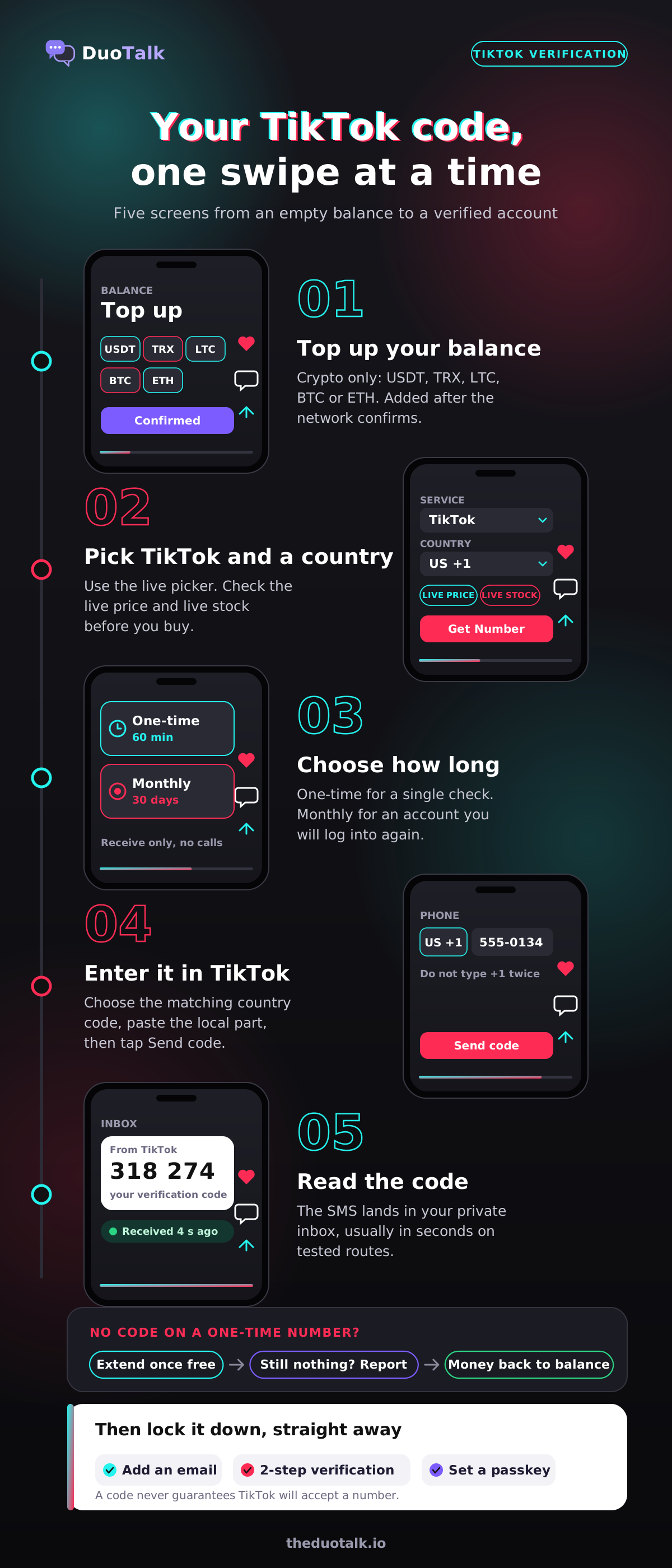
- Top up your balance. DuoTalk top-ups are crypto only: USDT (TRC20 or BEP20), TRX, LTC, BTC or ETH, with a minimum top-up of $15. The balance is added automatically once the network confirms. See how to top up.
- Pick TikTok and a country in the live picker at the top of this page. Check the live price and live stock before you buy.
- Choose the number type. A one-time, disposable number for TikTok for a quick check, or a monthly number for TikTok where offered.
- Open TikTok and pick the phone option on the sign-up screen, or go to Account information if you are adding a number to an existing account. Enter your birthdate truthfully when asked.
- Select the matching country code in TikTok's dropdown, then paste the rest of the number. Do not type the country code twice.
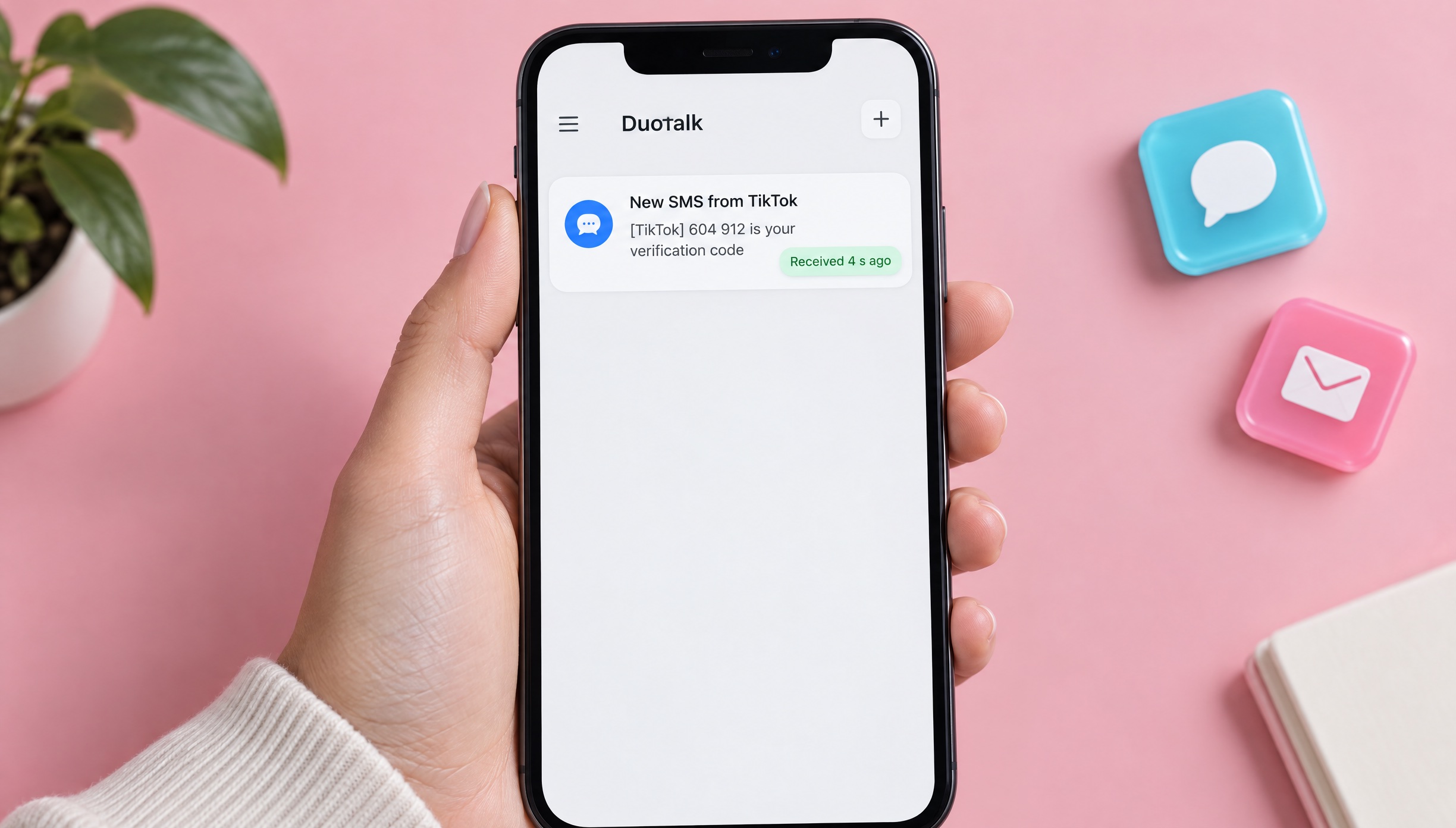
- Tap Send code. On tested routes the TikTok SMS code usually appears in your DuoTalk inbox within seconds.
- Enter the code in TikTok before it expires. If you need a second code, a one-time number stays open 7 more minutes after the first SMS.
- Secure the account right away: add an email, turn on 2-step verification and set a passkey (covered below).
For the background on how codes reach an online inbox, read how to receive SMS online, or see every service and country on the main receive SMS online page.
Best Countries for TikTok Numbers
The best country for a TikTok number is one that shows live stock for TikTok in the picker and that fits where you actually live and use the app. TikTok does not publish a list of accepted countries, so pick by stock, by the country you use TikTok in, and by whether you need a monthly number.
Here is how the common choices compare, from a US number for TikTok to Indonesia. Example numbers are fictional.
| Country | Format example | Why people choose it | Notes |
|---|---|---|---|
| United States (+1) | +1 555-0134 | Familiar format, often in stock (check the picker) | 10 digits after +1, see US virtual phone numbers |
| United Kingdom (+44) | +44 7700 900213 | Mobile-style 07 numbers, good for UK users | Enter it without the leading 0 after +44, see UK virtual phone numbers |
| Canada (+1) | +1 555-0187 | Shares +1 with the US, separate area codes | Choose "Canada" in TikTok's country list, not "United States" |
| Hong Kong (+852) | +852 6••• ••23 | Short 8-digit mobile numbers | Check live stock, it changes often |
| Indonesia (+62) | +62 8•• •••• ••41 | Common for users in Southeast Asia | Mobile numbers start with 8 after +62 |
Decision rules that work:
- Use the country you live in if the picker has stock for it. It is the most natural match for your app store region and the content you watch.
- Use a monthly number from a country that offers it if the account is one you will keep. Availability of monthly numbers is narrower, so check the picker first.
- Do not use a number to appear to be somewhere you are not in order to get around a regional rule. Getting around a regional rule this way can break TikTok's terms.
See every other country and its live price on the virtual numbers page.
One-Time vs Monthly Numbers for TikTok
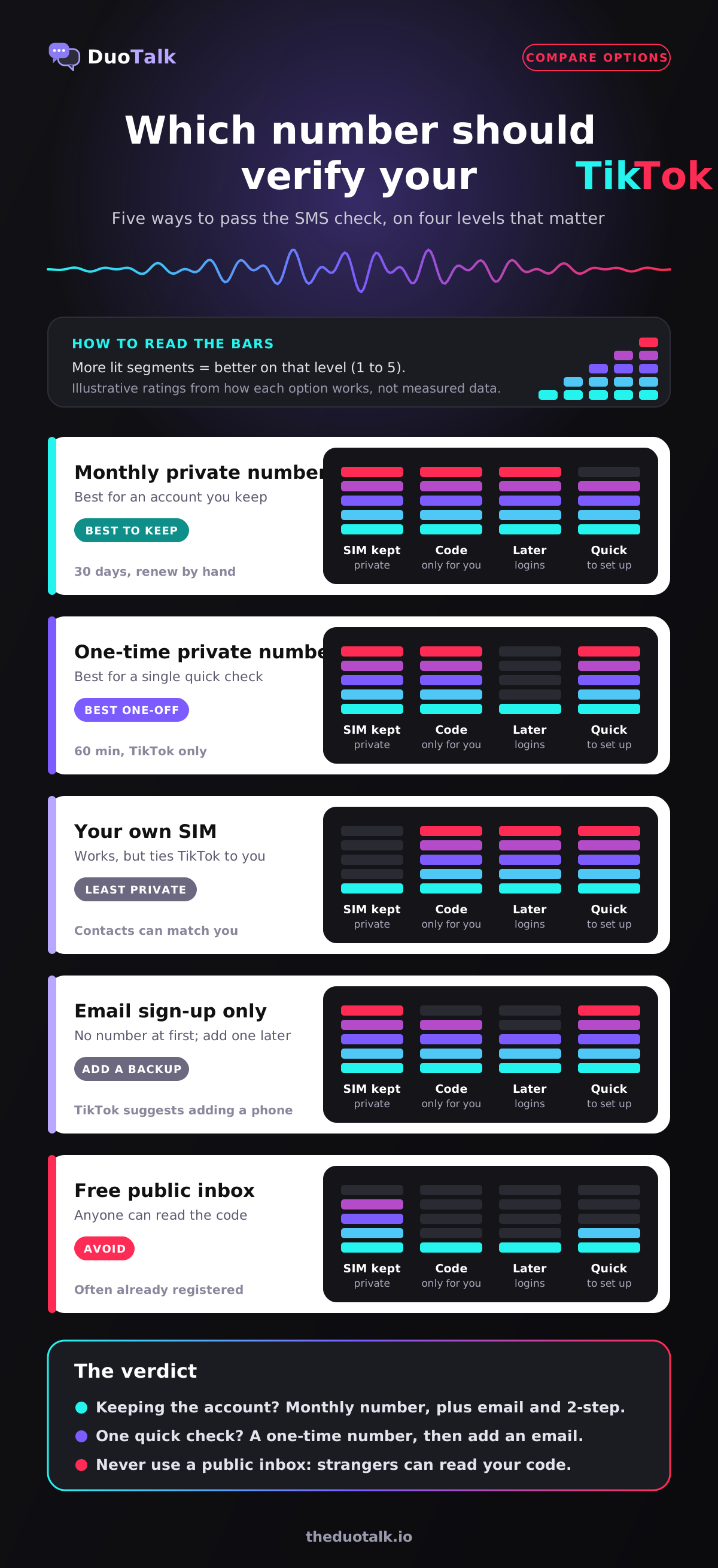
Use a one-time temporary number for TikTok when you only need to pass a single SMS check today. Rent a number for TikTok monthly when the TikTok account matters to you, because TikTok may send codes to that number again for logins, 2-step verification and recovery.
The reason is in TikTok's own rules. To change phone number on TikTok, the help centre says "both the old and the new phone number associated with the account must be active and verified." If your account's only number was a one-time number that has expired, you cannot receive a code on it any more, and swapping it out becomes much harder.
| Situation | Pick | Why |
|---|---|---|
| Quick check on a test or throwaway profile you will not log back into | One-time number | Cheapest route, done in minutes |
| Your main TikTok, a creator account or a brand account | Monthly number | You can receive login, 2SV and recovery codes later |
| You will add an email and authenticator straight after sign-up and remove the number | One-time can work | Only if another login method is linked before the number expires |
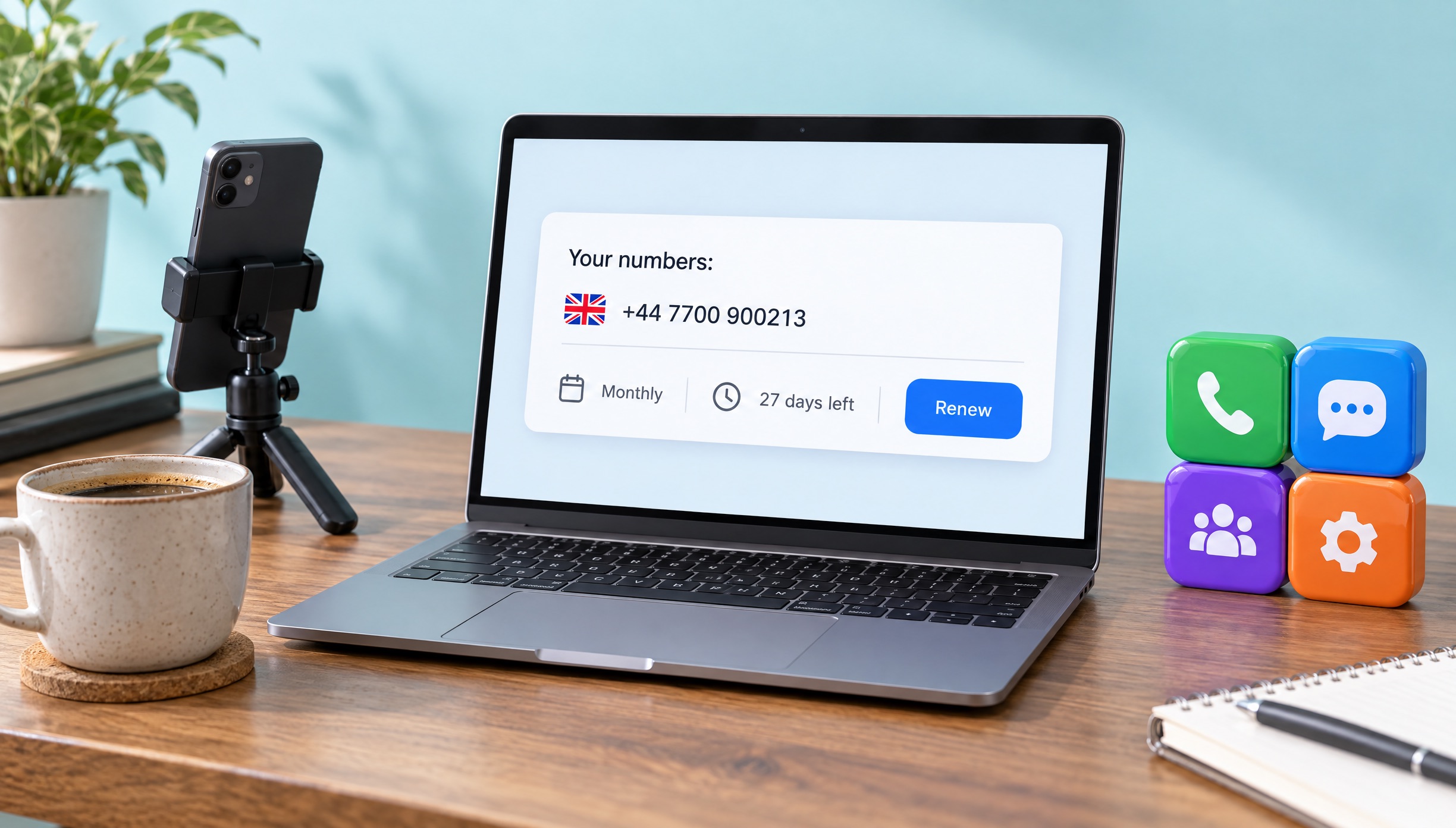
| You need TikTok codes for longer than 30 days | Monthly, renewed | Nothing renews automatically, renew from your numbers list before day 30 |
| You also want codes from other apps on the same number | Monthly number | One-time numbers receive SMS only from the service chosen at purchase |
A worked example. Maya wants a TikTok profile for her candle shop without giving out her personal mobile. She signs up with a monthly UK number, adds the shop's email, turns on 2-step verification and sets a passkey. Three weeks later TikTok asks for a code on a new laptop and she reads it in her DuoTalk inbox, then renews before day 30. If she ever stops renewing, she first swaps in another number she controls while both can still receive codes.
For a deeper comparison of short-term and kept numbers across all apps, read one-time vs monthly virtual numbers. If you want a broader buying guide, see how to buy a virtual phone number.
TikTok Age Rules and Account Requirements
The TikTok minimum age is 13, and in some places it is higher. A virtual number does not change any of TikTok's account rules: one phone number per account, a real birthdate, and no new accounts to get around a ban.
Minimum age
- Globally, TikTok's age assurance page says the app "can only be used by those who are 13 years of age or older".
- In the United States, TikTok's Terms of Service (updated July 15, 2026) say people under 13, or under 14 in Florida, may not use the platform unless they are in the separate Under 13 Experience, which limits data collection and adds safety protections.
- Other ages may apply in other regions. TikTok's teen privacy page notes that accounts are for people at least 13 "or other ages as indicated" in its Privacy Policy and Terms of Service, so check the terms for your country.
- The age gate is a full birthdate. If someone does not meet the minimum age, TikTok says it suspends their ability to try again with a different date of birth, and it removes suspected underage accounts it finds later.
Never use a virtual number to create an account for a child below the minimum age, and never enter a false birthdate. Parents who want to manage a teen's account can use TikTok's Family Pairing feature instead.
Teen defaults you should know
TikTok sets stricter defaults for younger users, whatever number they sign up with:
| Age | Account privacy at sign-up | Direct messages |
|---|---|---|
| 13 to 15 | Private by default | Not available |
| 16 to 17 | Stricter defaults than adults (check your settings) | Available, but the default may be set to No one until you change it |
| 18 and older | Your choice | Available |
One number, one account
TikTok's help centre is direct about this: "Each phone number, email address and social media account can only be linked to one TikTok account." If you delete an account, TikTok deactivates it for 30 days and then erases it, and only after those 30 days can the same number be connected to a new account. Carriers also reassign old numbers, so a recycled phone number can still be tied to a stranger's TikTok profile; that is why TikTok sometimes says a fresh-looking number is already registered.
No ban evasion
If TikTok has banned your account, a new phone number is not the fix. TikTok's Terms of Service say that if a banned user uses the platform again, for example by opening another account, TikTok may ban those accounts too. Its safety rules add that when someone "tries to dodge enforcement", TikTok "may ban all of their accounts, including associated accounts." DuoTalk numbers are for privacy and keeping your own account secure, not for getting around bans, mass sign-ups or fake profiles. If you think a ban was a mistake, use TikTok's in-app appeal.
Keep Your TikTok Account Safe
The safest TikTok setup has at least two login methods (phone and email), 2-step verification, a strong unique password and a passkey. Do it right after you verify the number.
The TikTok Security check-up (Profile, Menu, Settings and privacy, Security & permissions, Security check-up) walks you through most of it and shows a green tick for each task you complete. Here is the checklist we recommend:
- Link an email as well as the phone number. TikTok recommends two contact methods so that if one is compromised or lost, you still have another way in.
- Turn on 2-step verification. Go to Security & permissions, then 2-step verification, and choose at least two methods. The options are phone, email, authenticator app and password. A TikTok authenticator app setup is the best choice if your number is one-time, because it does not depend on SMS.
- Add a TikTok passkey. A passkey lets you log in with Face ID, a device passcode or a fingerprint instead of a password. Set it up under Settings and privacy, Account, Passkey.
- Use a strong, unique password. TikTok suggests 12 to 15 characters with a mix of letters, numbers and symbols, and never your birthday or phone number.
- Review trusted devices in the Security check-up and remove any you do not recognise.
- Check your privacy settings. Under Privacy, then Suggest your account to others, you can stop TikTok suggesting your account to contacts by switching off the Contacts option so people who have your number saved are not shown your profile.
- Keep the number alive if it is your only phone method. A monthly number you renew means future codes still reach you.
If you lose both your email and number, TikTok's "Need more help?" form resets your authentication method, which it says "may take up to 30 days".
A private number for TikTok only helps if nobody else can read its inbox; see our guide to a private SMS verification number. For a lasting second phone number for TikTok and other apps, our second phone number guide compares the options.
TikTok Number Pricing and Availability
Before you buy a number for TikTok verification, DuoTalk shows the live price and live stock per country, so see the live price in the picker at the top of this page. Prices change with demand and stock, which is why we do not print them here.
What affects the price you see:
- Country. Some countries cost more than others for the same service.
- Number type. One-time and monthly numbers are priced separately; a monthly number lasts 30 days and receives from any service, so compare both.
- Demand and stock. Busy routes move in price and stock.
What you do not pay for:
- No fees or tax added at checkout. The price shown is what leaves your DuoTalk balance.
- A refund route when no code arrives. For a one-time number, if no code arrives you can extend once for free, and if it still fails you report it and, once the report is reviewed, the money goes back to your balance. For a monthly number, you can ask for a refund within 48 hours if it never receives an SMS. Details are on the refunds page.
To compare TikTok with other services and countries, see the SMS verification service page, or browse a quick temporary phone number if you only need one code. If you already know you want to keep the number, the buy virtual phone number page lists rental options and filters.
Troubleshooting TikTok Verification Codes
When a TikTok verification code is not received, the cause is usually a wrong country code, too many requests in a short time, or a number TikTok has decided not to use. Match the symptom below to its fix instead of pressing "Resend" again and again.
TikTok's own help page gives three first steps when a phone code does not arrive: select the correct country code, enter the number without the country code (the page mentions a leading "0", which applies to countries whose local numbers start with one), and restart the app or device before requesting a new code.
| What you see | Likely cause | What to do |
|---|---|---|
| No SMS after a minute or two | Wrong country selected, or the number typed with the country code twice | Check the country in TikTok's dropdown, re-enter only the local part, request once more |
| Still no SMS on a one-time number | The route did not deliver | Extend once for free on the same number; if it still fails, report it and the money returns to your balance (no SMS help) |
| "This phone number is already registered" (wording varies) | The number is already linked to a TikTok account | Use a different number; each number can link to one account only |
| TikTok "maximum number of attempts reached" (wording varies) | Too many code requests or attempts in a short period | Stop requesting, wait, then try once; repeated taps make the wait longer |
| Code arrived but TikTok says it is invalid or expired | Code typed late, or an older code was used after a resend | Use the newest code only and enter it right away |
| Code arrived, then TikTok asks for another number | TikTok refused the number after sending a code | Try a number from another country in the picker; codes never guarantee acceptance |
| Account asks for a code weeks later and your number has expired | One-time number was the only phone method | Use your linked email or authenticator; if none, use TikTok's "Need more help?" form |
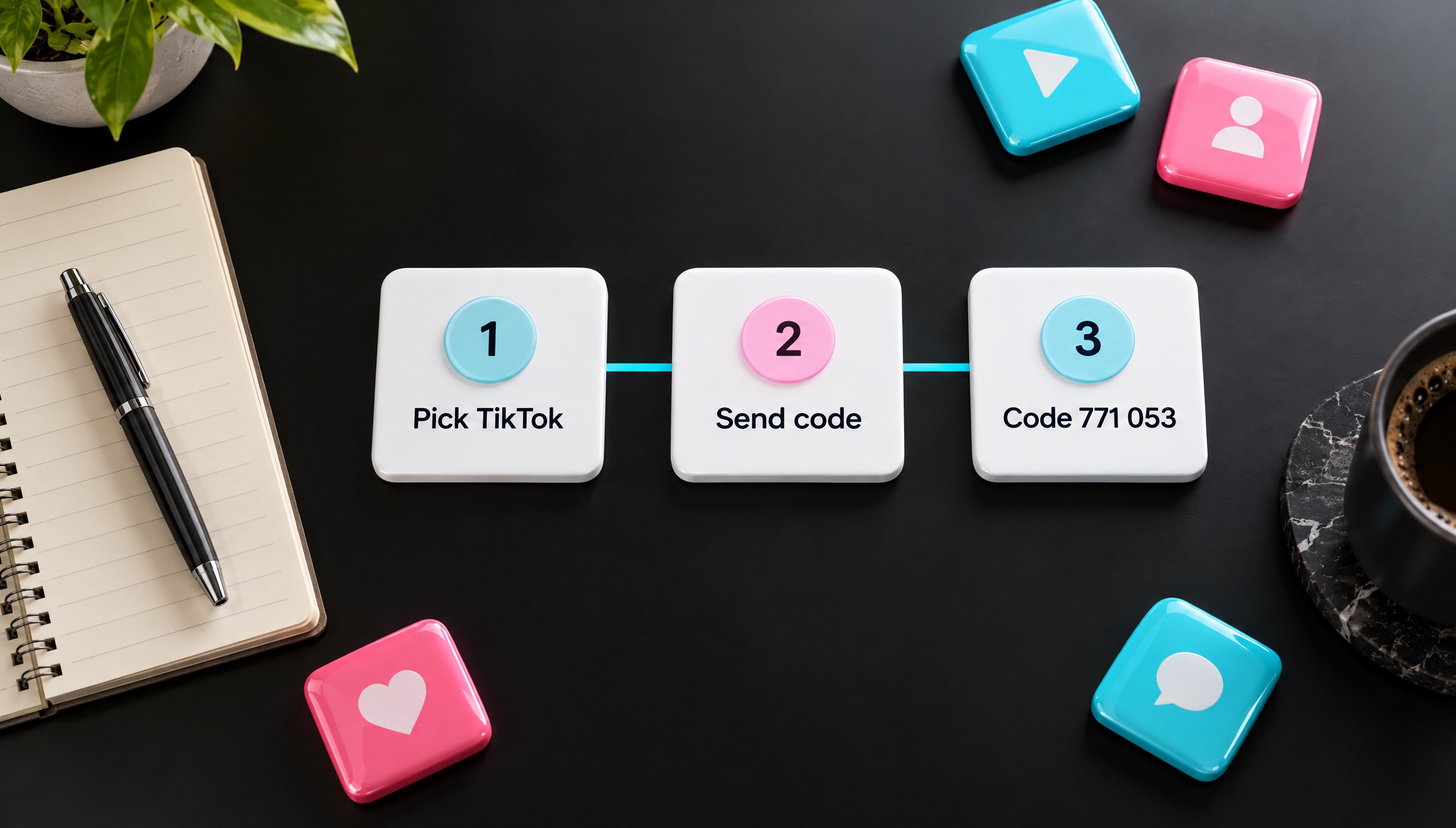
Keep the DuoTalk inbox open in a tab before you tap Send code, and if TikTok keeps refusing a number after the code, switch numbers rather than retrying. Our guides on verification codes that are not received and on why a virtual number is not accepted explain the causes in more depth.
Using other social apps too? See the virtual number for Instagram and virtual number for Facebook verification pages.
Sources
- TikTok Support: Email and phone number
- TikTok Support: Create a TikTok account
- TikTok Support: Keeping your account secure
- TikTok Support: How your email and phone number are used on TikTok
- TikTok Support: Teen privacy and safety settings
- TikTok Terms of Service (US)
- TikTok Safety Center: Accounts and features
- TikTok: Age appropriate experiences
Last reviewed: November 2026
Frequently asked questions
Can I use a virtual number for TikTok verification?
Yes, you can use a virtual number for TikTok verification as long as TikTok accepts that particular number. The SMS code arrives in your private DuoTalk inbox and you enter it in the app like any other code. Acceptance is never guaranteed, because TikTok runs its own checks and can refuse a number even after sending a code. If no code arrives on a one-time number, you can extend once for free, then report it for a refund to your balance.
Why is TikTok not sending my verification code?
TikTok usually fails to send a code because the wrong country code is selected, the number was typed with the country code twice, or too many codes were requested in a short time. TikTok's help page suggests checking the country code, entering the number without the country code, and restarting the app or device before asking again. If you hit an attempts limit, wait before trying again. On DuoTalk, extend a one-time number once for free if nothing arrives.
Can I make a TikTok account without a phone number?
Yes, TikTok without a phone number is possible. TikTok lets you choose a sign-up method, and email is one of the options, so a phone number is not required to create an account. TikTok still recommends adding a phone number later as a second login method for recovery and 2-step verification. If you want that second method without exposing your personal SIM, a monthly virtual number for TikTok gives you a number you can keep receiving codes on for login and recovery.
Can two TikTok accounts use the same phone number?
No. TikTok's help centre says each phone number, email address and social media account can only be linked to one TikTok account. If you try a number that is already linked, you will see an "already registered" type message. If you delete an account, TikTok keeps it deactivated for 30 days and then erases it, and only after that can the same number be connected to a new account.
What happens if I lose the phone number on my TikTok account?
If you lose the phone number on your TikTok account, log in with your email, authenticator app or passkey instead, then change the number in Account information. TikTok requires both the old and new numbers to be active to change a number, so if the old one is gone and you have no other method, use the "Need more help?" form to reset your authentication method. TikTok says that review can take up to 30 days.
How old do you have to be to make a TikTok account?
You must be at least 13 years old to have a TikTok account. In the United States, people under 13, or under 14 in Florida, can only use TikTok's separate Under 13 Experience, and other regions may set different ages in TikTok's terms. TikTok asks for a full birthdate at sign-up and blocks retries with a different date. Accounts for ages 13 to 15 are private by default and cannot use direct messages.
Is it safe to use a temporary number for TikTok?
A private temporary number is safe for TikTok if nobody else can read its inbox and you add other login methods straight away. Free public inbox sites are not safe, because anyone can see the code and the number is often already linked to another account. For an account you keep, a monthly number is the safer choice, since TikTok may send login and recovery codes to it later.