Virtual Number for Instagram Verification
An Instagram verification phone number from DuoTalk receives Instagram's SMS code in a private online inbox, so your personal number stays off the account. Pick a country, choose a one-time or monthly number, and read the 6-digit code in seconds on working routes.
Live prices and stock
Prices and stock on DuoTalk are live. They change during the day by country and service, so the number picker on this page loads the current price and the numbers in stock when the page opens in your browser. Choose or change the country and the service, check the live price, then press Get an Instagram Number.
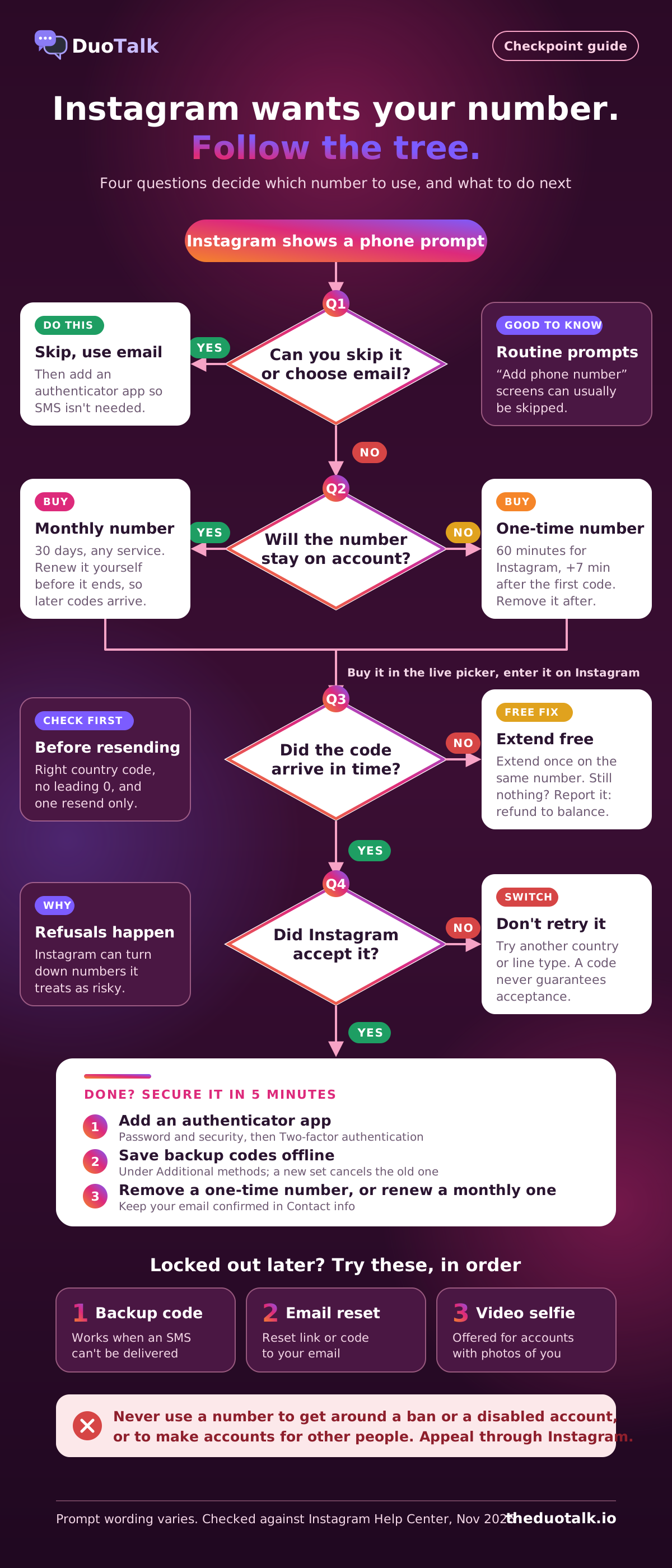
The short answer: You can create Instagram with only an email, but when Instagram asks for a phone number (often at a "confirm it's you" checkpoint), a private virtual number lets you receive the SMS code online without exposing your own line. Use a monthly number if it will stay on the account, a one-time number if you will remove it after one check, and add an authenticator app straight away. A code arriving never guarantees Instagram will accept the number.
Get a Virtual Number for Instagram Verification
A virtual number for Instagram is a real mobile-format phone number that receives Instagram's SMS code in an online inbox instead of on your SIM. On DuoTalk you pick Instagram and a country in the live picker at the top of this page, pay from your balance, and read the code in your private inbox.
DuoTalk (theduotalk.io) is a web app that rents private virtual phone numbers for receiving SMS verification codes, so you do not hand your personal number to every app. For Instagram, that matters because any number on your account becomes a login and password-reset channel. Instagram's own help page on why it asks for your email address or mobile phone number lists logging in, password resets and keeping the account secure among the uses.
What you get when you buy an Instagram verification phone number on DuoTalk:
| What you get | One-time (short-term) number | Monthly number |
|---|---|---|
| How long it works | 60 minutes, plus 7 more minutes after the first code arrives; can be renewed for another paid hour before it ends | 30 days, renew manually before it ends |
| Which apps can text it | Only the service you chose (Instagram) | Any service |
| Best for | Passing one Instagram SMS check, then removing the number | Keeping the number on the account for later login or reset codes |
| If no code arrives | Extend once for free, then report it and the money returns to your DuoTalk balance | Refund on request within 48 hours if it never receives an SMS |
| Can it call or send texts? | No, receive-only SMS | No, receive-only SMS |
| Where codes appear | Your private DuoTalk inbox, visible only to you | Your private DuoTalk inbox, visible only to you |
No one can promise that Instagram will accept a particular number, and nothing renews automatically. If you only want to understand the wider idea of reading codes on a web inbox, our hub page on how to receive SMS online explains the basics for every service.
Email vs Phone Sign-up on Instagram
Instagram does not require a phone number to sign up: you can register with an email address and confirm it with a 6-digit code sent to that inbox. A phone number becomes necessary only when you choose phone sign-up, turn on SMS two-factor authentication, or hit a security check that will not continue without an SMS code.
Instagram lets you remove a confirmed number or email as long as at least one confirmed contact remains, so an email-only account is a normal setup. The step-by-step email sign-up is in our guide to using Instagram without a phone number; this page covers the moment you actually need a number.
| Situation | Do you need a phone number? | What to use |
|---|---|---|
| Creating a new account | No | Email sign-up, code goes to your inbox |
| A skippable "Add phone number" prompt | No | Tap Skip or Not now, add an authenticator app instead |
| "Confirm it's you" with an email option | No | Pick email, enter the code |
| Checkpoint that offers only SMS | Yes | A number you control: your SIM, or a private virtual number |
| Turning on SMS or WhatsApp two-factor login codes | Yes | Prefer an authenticator app; if you want SMS, use a number you keep |
| Password reset when your email is lost | Only if a number is on file | Keep at least one long-term contact method |
Decision rule: sign up with email if you control an inbox you will keep for years. Add a phone number only when Instagram blocks you without one, and then choose the number based on how long it will stay on the account (see the one-time vs monthly section below).
Instagram's Terms of Use require you to be at least 13 (older where local law says so) and bar impersonation or creating an account for someone else without permission. A virtual number changes none of these rules; it is for one real person verifying their own account.
How Instagram SMS Verification Works with a Virtual Number
Instagram SMS verification sends a short numeric code (usually 6 digits) to the number you enter; you type the code back into Instagram within a few minutes to prove you control the number. With a virtual number, the code lands in your DuoTalk inbox in the browser or app instead of a SIM.
Here is the whole flow, from the live picker to a verified account:
- Open the live picker at the top of this page. Instagram is preselected. Pick a country that shows stock; stock and prices update live.
- Choose the number type. One-time if you will remove the number after this check; monthly if it will stay on the account.
- Top up if needed. Balance is added in crypto (USDT on TRC20 or BEP20, TRX, LTC, BTC or ETH; minimum top-up $15) and appears automatically once the network confirms. There are no extra fees or tax at checkout.
- Tap Get Number. Your number appears in your list with a timer for one-time numbers.
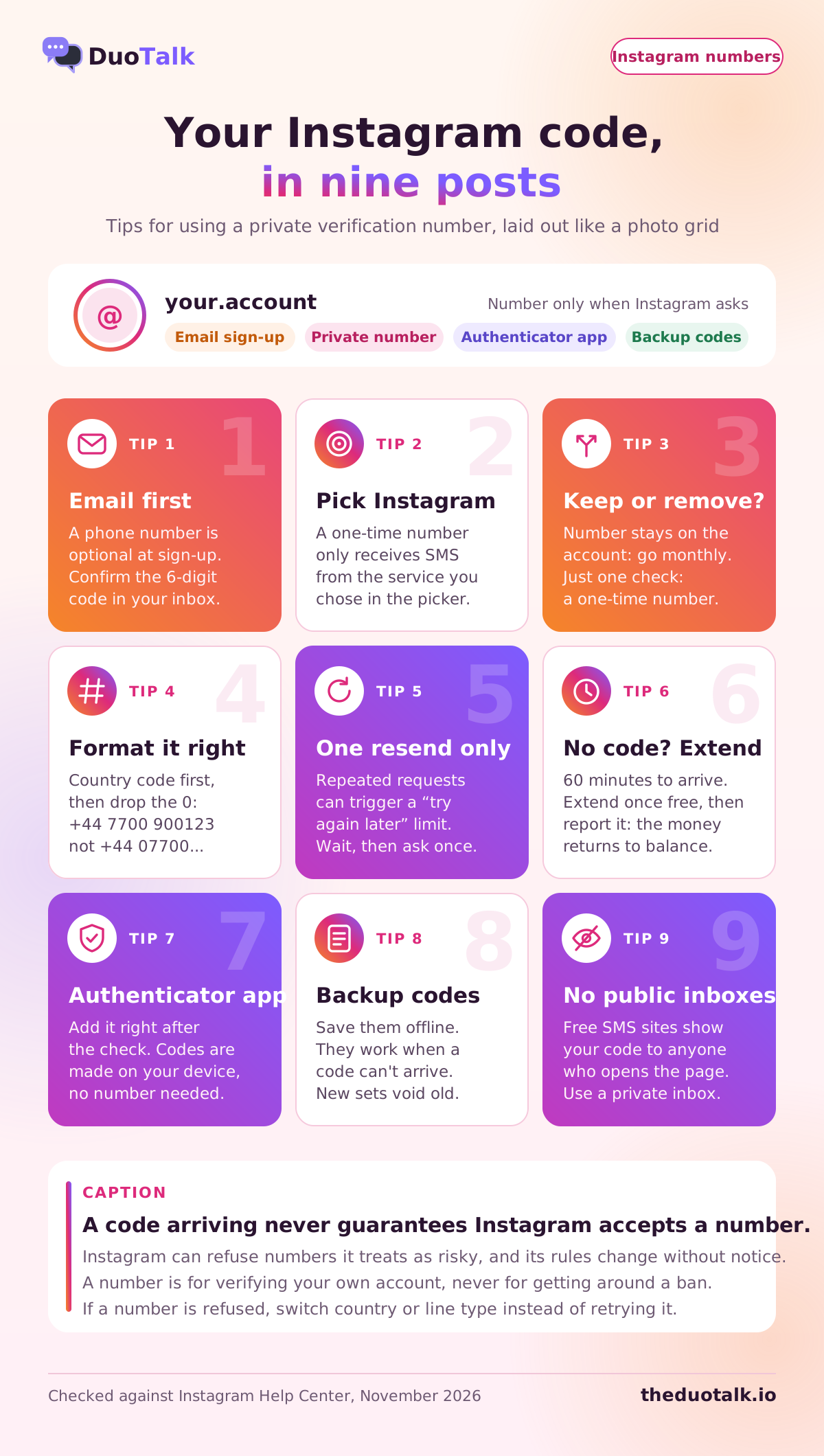
- Enter it in Instagram. Choose the matching country in Instagram's country picker, then type the rest of the number without the national trunk 0 (a UK number is +44 7700 900123, not +44 07700 900123).
- Request the code once. Instagram sends the SMS; on working routes it usually lands within seconds.
- Copy the code from your private inbox and enter it in Instagram before it expires.
- Secure the account right away. Add an authenticator app and save backup codes (see the security section below), then decide whether the number stays or goes.
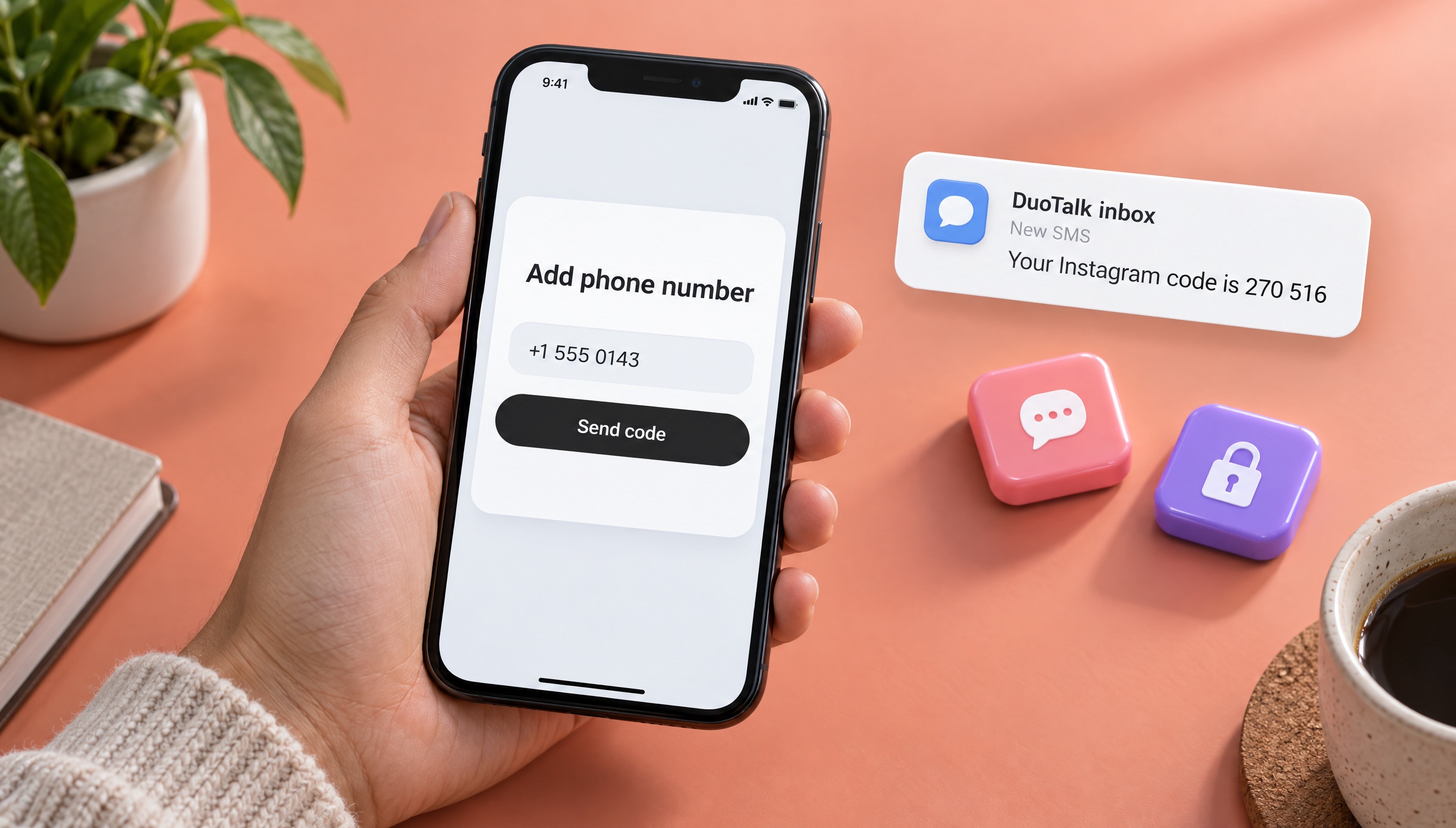
What happens on DuoTalk's side
A one-time number takes SMS from Instagram for 60 minutes, and stays open 7 more minutes after the first code so a resend can still land. No code in the first hour? Extend once for free; if it still fails, report it and the money returns to your DuoTalk balance. The refunds page shows the exact steps.
Avoid free public "receive SMS" websites: anyone can read the code there and later request a reset to the same number. Our comparison of free vs paid SMS verification explains the risk.
Instagram Checkpoints: Why Instagram Asks for Your Phone Number
Instagram asks for a phone number for two kinds of reasons: routine prompts because no number is on file or an old one was never confirmed, and security checkpoints after activity that looks unusual. Routine prompts can usually be skipped; checkpoints may block the account until a number or email receives a code.
Instagram's help page says the request can appear if you never finished confirming a number or email, or if time has passed since you last updated your contact details. Instagram does not publish a trigger list for security checks, but they commonly follow a login from a new device or network, a VPN or shared IP address, bursts of automated-looking activity, or reports from other users. Wording varies by app version and region:
| Prompt (wording varies) | What it usually means | Best response |
|---|---|---|
| "Add phone number" with a Skip option | Instagram would like a second contact method | Skip, then add an authenticator app |
| "Help us confirm it's you" with email offered | Unusual login, email code accepted | Choose email, then review login activity |
| "Add phone number to get back into Instagram" | Account held until an SMS code is entered | Use a number you can keep or one you will remove right after |
| "Instagram keeps asking for phone number" after each login | The number you gave was not confirmed, or the account keeps tripping checks | Confirm one number fully; stop switching networks and VPNs |
| "This number isn't available" or similar refusal | Instagram will not use that number for this account | Try another line or country; do not retry the same one |
| Video selfie request | Identity check on an account with photos of you, or a locked account | Record it; Instagram replies by email |
Instagram's help page on the video selfie used to confirm your identity explains that it asks you to turn your head in different directions, which is one more reason your sign-up email must be one you keep.
What a virtual number is not for: getting around a disabled account, a ban or a limit Instagram placed on you. If your account was disabled, use Instagram's official appeal or review flow. Making new accounts to get around enforcement breaks Instagram's terms, and rotating throwaway numbers, devices and networks to dodge checkpoints tends to cause more checkpoints, not fewer.
One-Time vs Monthly Numbers for Instagram
Use a one-time number when you need a single Instagram code and will delete the number from the account the same day; use a monthly number when the number will stay on the account, because Instagram may send login or reset codes to it weeks later. The cheaper option today can be the more expensive one if it costs you the account.
| Question | One-time number | Monthly number |
|---|---|---|
| Will the number stay in Instagram's contact info? | No, remove it after the check | Yes |
| Will you use SMS two-factor login codes? | No | Possible, though an authenticator app is safer |
| Do you expect future "confirm it's you" checks? | Not planned for | Yes, the number can receive them while active |
| Available in | Many countries, live stock | Some countries only, live stock |
Example (illustrative), one check: a shop owner created her account with email. A new-laptop login triggers an SMS-only checkpoint. She buys a one-time Instagram number, passes the check, then within ten minutes adds an authenticator app, saves backup codes and deletes the number. The account now relies on her email and authenticator.
Example (illustrative), a number that stays: a travelling photographer wants SMS as a fallback. He buys a monthly number, confirms it on Instagram and sets a reminder to renew before the 30 days end, so later checkpoints and resets can still reach him.
The trap to avoid: leaving a one-time number on the account, or turning on SMS two-factor with it. When that number stops working, a new-device login will ask for a code you can never receive, and old numbers can eventually be reassigned. For a deeper comparison of number lifetimes and recovery, read our guide to one-time vs monthly virtual numbers, or see how a temporary phone number works in general.
Best Countries for an Instagram Verification Phone Number
The best country for an Instagram verification phone number is the one that fits where you really live or use the account and that shows live stock in the picker. Instagram works in most countries, so the choice is less about Instagram and more about consistency, availability and whether you need a monthly number.
Rules that hold up: match the country you live in or are travelling to; filter for monthly first if the number will stay (monthly exists only in some countries); check live stock and price, which change through the day; and if one country's number is refused, switch country rather than buying the same kind again.
| Country | Format of a mobile number | Typical reason to pick it | DuoTalk page |
|---|---|---|---|
| United States | +1, then 10 digits | You live in or often use apps from the US | USA number for Instagram verification |
| United Kingdom | +44 7, then 9 more digits | UK resident, student or frequent traveller | UK number for Instagram |
| Canada | +1, then 10 digits, Canadian area codes | Based in Canada | Canada numbers |
| Hong Kong | +852, then 8 digits | Living or working in Hong Kong | Hong Kong numbers |
| Indonesia | +62, mobile numbers start with 8 after the code | Based in Indonesia | Indonesia numbers |
Every country DuoTalk currently stocks is listed on the Numbers page; the list changes with stock, so treat any country as "check live availability" rather than guaranteed. For the general case of choosing any number to buy a virtual phone number, the buying page explains the filters (country, number type, rental duration, price).
VoIP, non-VoIP and Instagram
A non-VoIP number for Instagram is a mobile-format number tied to a mobile network rather than a calling app. Some platforms check the line type and refuse numbers they classify as VoIP, and reports from users suggest Meta apps often do. Instagram does not publish an official list, so treat this as a pattern, not a rule. Our explainer on non-VoIP numbers covers how line-type checks work, and why apps reject virtual numbers covers the other causes, such as number reputation and rate limits.
Secure Your Instagram Account: 2FA Without SMS
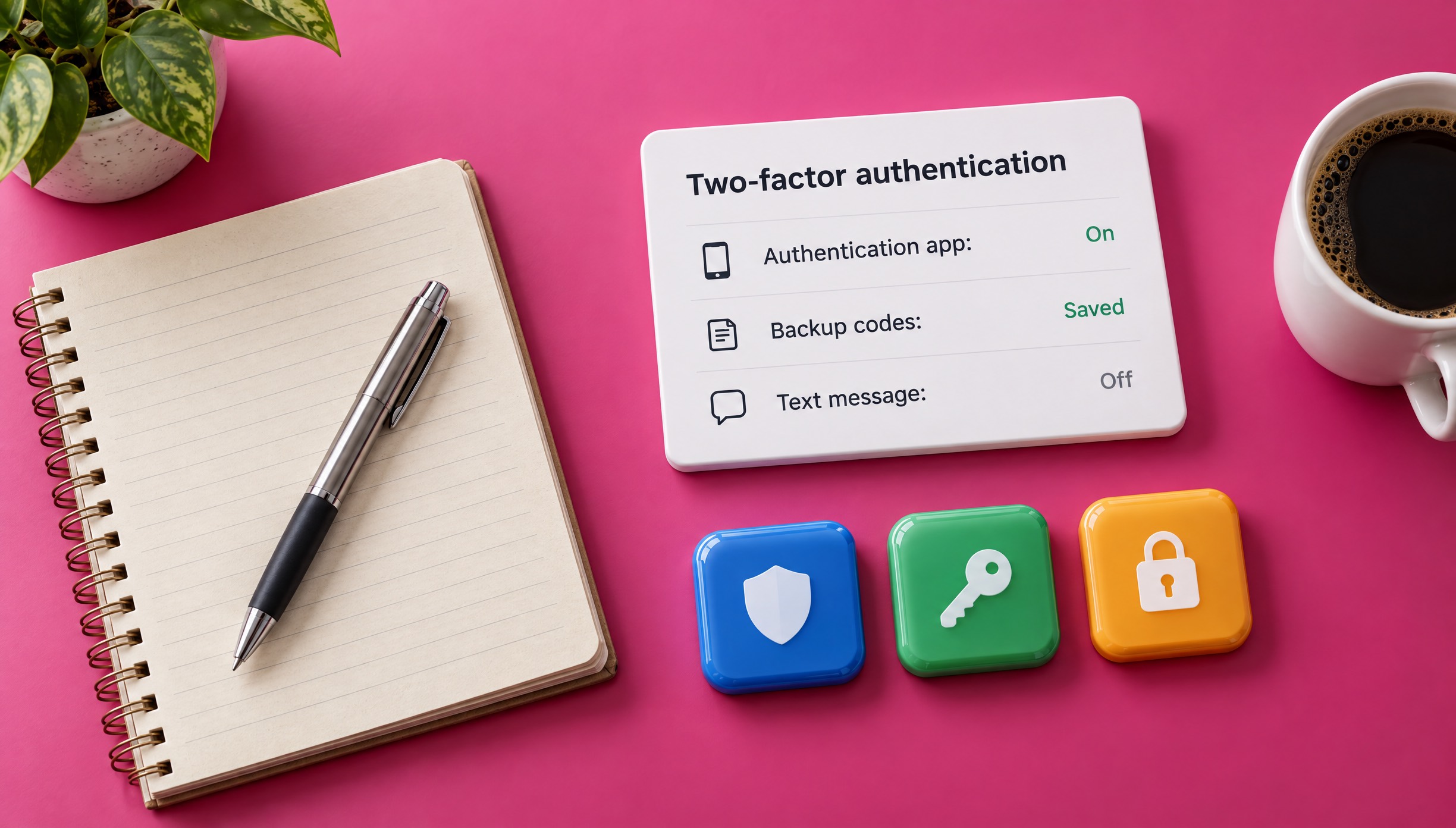
The safest setup is an authenticator app plus saved backup codes, with a long-term email as your recovery contact, so the account does not depend on any one phone number.
Instagram's two-factor authentication help page lists three ways to get login codes: an authentication app, text message, or WhatsApp (which needs text message turned on first). Authentication-app setup is done in the Instagram app for Android or iPhone.
| Method | Needs a phone number? | Works if you lose the number? | Notes |
|---|---|---|---|
| Authentication app | No | Yes | Codes generated on your device; works offline |
| Backup codes | No | Yes | One-time codes you save in advance; generating a new set cancels the old one |
| Passkey (Meta Account) | No | Yes | Sign in with your fingerprint, face or device screen lock |
| Text message (SMS) | Yes | No | Only as safe as the number you keep |
| WhatsApp login codes | Yes, through WhatsApp | No | Requires text-message 2FA first |
Steps to secure the account straight after an SMS check:
- Open Accounts Center (or Meta Account), then Password and security, then Two-factor authentication, and pick your Instagram account.
- Choose Authentication app, scan the key with your authenticator and enter the 6-digit code it shows.
- Under Additional methods, open Backup codes and save them offline. Instagram's page on how to use a backup code notes they work when a code cannot be delivered.
- In Personal details > Contact info, confirm your email is listed and correct.
- If the virtual number was one-time, delete it now. If it was monthly, set a renewal reminder.
In April 2026 Meta announced that Meta Account brings passkeys to Instagram, rolling out gradually, so you may see a number-free passkey option. NIST's digital identity guidelines class SMS as a "restricted" authenticator, which is why an app-based method is stronger.
Instagram Verification Number Pricing and Availability
The price of an Instagram verification number depends on the country, the number type (one-time or monthly) and current demand, and DuoTalk shows the live price for each combination in the picker at the top of this page. You pay from your DuoTalk balance; there are no added fees or tax at checkout.
| Factor | Effect | What to do |
|---|---|---|
| Country | Some countries cost more than others | Pick the country you need, then compare |
| Number type | One-time and monthly numbers are priced separately; monthly lasts 30 days and accepts any service | Buy monthly only if the number stays on the account |
| Demand and stock | Popular combinations can change price or sell out | Check again later or pick another country |
| Failed codes | A one-time number with no code can be extended once free, then reported for a refund to balance | You should not pay for a code that never came |
For the exact figure, see the live price in the picker above. Cheap is not always cheaper: a one-time number left on the account can cost you the account later. Your balance stays in your DuoTalk account, so one crypto top-up can cover numbers for Instagram, WhatsApp or Facebook later.
If you are new to codes in general, the SMS verification service page explains how one-time verification differs from renting a number for longer.
Troubleshooting Instagram Codes
Most "Instagram code not sending" problems come from a wrong country code, too many resend requests, a number Instagram refuses, or an email code in spam. Fix the cause in that order before you buy anything new.
| Symptom | Likely cause | Fix |
|---|---|---|
| No SMS after 1-2 minutes | Wrong country selected or a leading 0 typed | Re-enter with the right country and no trunk 0 |
| "Try again later" after resends | Too many requests in a short time | Stop for 30 minutes or more, then request once |
| Number refused at entry | Line type or number reputation | Use another country or line; do not retry the same number |
| Code arrived but Instagram rejects it | Expired code, or an older code was entered after a resend | Use the newest code; a one-time number stays open 7 minutes after the first code for exactly this |
| Email code missing | Spam or promotions folder, or a typo in the address | Check all folders; Instagram's genuine mail comes from Instagram's own domains |
| "Phone number already in use" (wording varies) | The number may be linked to another account | Use a different number you control |
| One-time number expired with no code | Route or service-side delay | Extend once free, then report for a refund to balance |
Turn off VPNs before requesting a code, request one resend at most, and if a monthly number never receives any SMS, ask for a refund within 48 hours.
If you have lost both your email and number, Instagram's help page for when you lost access to the email or phone number explains the recovery options it offers, and its limits. Our full cross-platform checklist for verification codes not arriving goes deeper on delivery problems, and the how to receive SMS online guide covers every way to read codes without a SIM.
Sources
- Instagram Help Center: Why Instagram asks for your email address or mobile phone number and how they're used
- Instagram Help Center: Securing your account with two-factor authentication
- Instagram Help Center: How you can use a backup code on Instagram
- Instagram Help Center: Lost access to email or phone number linked to Instagram account
- Instagram Help Center: Video selfie to confirm your identity
- Instagram Terms of Use
- Meta Newsroom: Meta Account, the simpler way to access your apps and devices (April 2026)
- NIST SP 800-63B-4: Authentication and Authenticator Management
Last reviewed: November 2026
Frequently asked questions
Can I use a virtual number for Instagram verification?
Yes, a private virtual mobile number can receive Instagram's SMS verification code, but acceptance is never guaranteed. Instagram can refuse numbers it treats as risky, and calling-app VoIP numbers are commonly refused. Avoid free public SMS websites, where anyone can read your code. Choose a monthly number if the number will stay on the account, or a one-time number only if you remove it right after the check and add an authenticator app.
Why does Instagram keep asking for my phone number?
Instagram keeps asking when no number is confirmed on the account, when an earlier number was added but never confirmed, or when activity triggers security checks. Logins from new devices or networks, VPNs, shared IP addresses and bursts of automated-looking activity are common triggers. Confirm one number fully or skip the routine prompt, stop switching networks, and add an authenticator app so future checks can use stronger methods than SMS.
Can I receive an Instagram verification code online without a SIM card?
Yes. A virtual number receives the SMS on a server and shows it in an online inbox, so no SIM card or phone line is needed. On DuoTalk you choose Instagram and a country, enter the number on Instagram, and read the 6-digit code in your private inbox, usually within seconds on working routes. If no code comes within the hour, extend once for free, then report it for a refund to balance.
Is it safe to use a temporary number for Instagram?
It is safe for privacy if the number is private, but risky for recovery if you leave it on the account. A temporary number expires, so later login or reset codes sent to it will never reach you. Pass the check, add an authenticator app and backup codes, confirm your email, and then remove the number. If the number should stay, use a monthly number and renew it, or use a SIM you own.
Can I make an Instagram account without a phone number?
Yes. Instagram lets you sign up with an email address and confirms it with a 6-digit code sent to that inbox. You must keep at least one confirmed contact method, so use an email you will keep for years. Instagram may still ask for a number later at a security check; at that point a private virtual number or your own SIM can receive the code. Our blog guide shows the email sign-up steps.
How do I get my Instagram account back if I lost the phone number?
Log in if you still can and replace the number in Contact info, or request a reset by email from the login screen. With two-factor on, an authenticator app or backup code gets you in. If you lost both the number and the email, Instagram's help pages describe limited options, including a video selfie for accounts with photos of you. A virtual number cannot recover a number you no longer control.
Why is Instagram not sending me the SMS code?
The usual causes are a wrong country code, a leading zero typed after the country code, too many resend requests, or a number Instagram will not use. Re-enter the number carefully, request one code, then wait a minute or two. If Instagram says to try again later, stop for at least 30 minutes. If a number is refused, switch to another country or line type instead of retrying the same one.