Virtual Number for WhatsApp Verification
A virtual number for WhatsApp lets you receive the 6-digit WhatsApp registration code in a private DuoTalk inbox instead of on your personal SIM. Choose a country in the live picker, pick a one-time or 30-day number, and read the code in seconds on tested routes.
Live prices and stock
Prices and stock on DuoTalk are live. They change during the day by country and service, so the number picker on this page loads the current price and the numbers in stock when the page opens in your browser. Choose or change the country and the service, check the live price, then press Get a WhatsApp Number.
The short answer: A virtual number for WhatsApp is a phone number you rent online that receives WhatsApp's 6-digit SMS registration code in a private inbox, so you can open a separate WhatsApp account without using your personal SIM. Use a one-time number only for a short test, and a 30-day monthly number for any account you want to keep, because WhatsApp sends a new code to the same number whenever you change phones or reinstall.
Get a Virtual Number for WhatsApp
You can get a virtual number for WhatsApp in about two minutes: WhatsApp is already selected in the live picker at the top of this page, so choose a country, choose a one-time or monthly number, pay from your DuoTalk balance and read the code in your private inbox. DuoTalk (theduotalk.io) is a web app that sells private virtual phone numbers for receiving SMS verification codes online.
People look for a WhatsApp verification number for ordinary reasons. A seller on a marketplace does not want strangers to have their personal number. A freelancer wants a second number for WhatsApp that can be muted after work. A small shop wants a WhatsApp Business number without a second SIM card. A traveller wants a number that keeps working while their home SIM is switched off. In each case the job is the same: receive one WhatsApp code privately and, for accounts you keep, receive the next one too.
What you get with a DuoTalk WhatsApp number:
| What you get | Details |
|---|---|
| A private inbox | Only you see the code. Nothing is posted on a public page. |
| Two number types | One-time (60 minutes, WhatsApp only) or monthly (30 days, any service, some countries) |
| Live stock and live price | Shown per country in the live picker before you pay |
| SMS only | Numbers receive texts; they cannot send messages or take calls |
| Free extension | A one-time number with no code can be extended once, free, for another hour |
| Refund to balance | If a one-time number still gets no code, report it and the money returns to your DuoTalk balance |
| Crypto top-ups | USDT (TRC20 or BEP20), TRX, LTC, BTC or ETH; no fees or tax added at checkout |
Two honest limits before you buy. First, receiving the code never guarantees that WhatsApp will accept or keep the account, because WhatsApp runs its own checks and changes them. Second, WhatsApp's own requirements say you must provide your current mobile number and be able to receive codes on it, which is why a number you hold for 30 days is the safer choice for anything you plan to use beyond today.
If you want the full background first (number types WhatsApp refuses, running two accounts, and what happens months later), read our in-depth guide on using a virtual number for WhatsApp. This page is the shortcut to getting the number.
How WhatsApp Verification Works with a Virtual Number
WhatsApp verifies a number by sending a 6-digit registration code to it by SMS or phone call; you type the code into the app and the account is tied to that number. With a virtual number, the SMS lands in your DuoTalk inbox instead of a phone's message app, and you copy the six digits across yourself.
According to the WhatsApp Help Center, the registration code is unique and changes each time you register a new phone number or device. That single sentence explains most of what follows on this page: verification is not a one-off event. It repeats whenever you set WhatsApp up again.
The registration flow, step by step
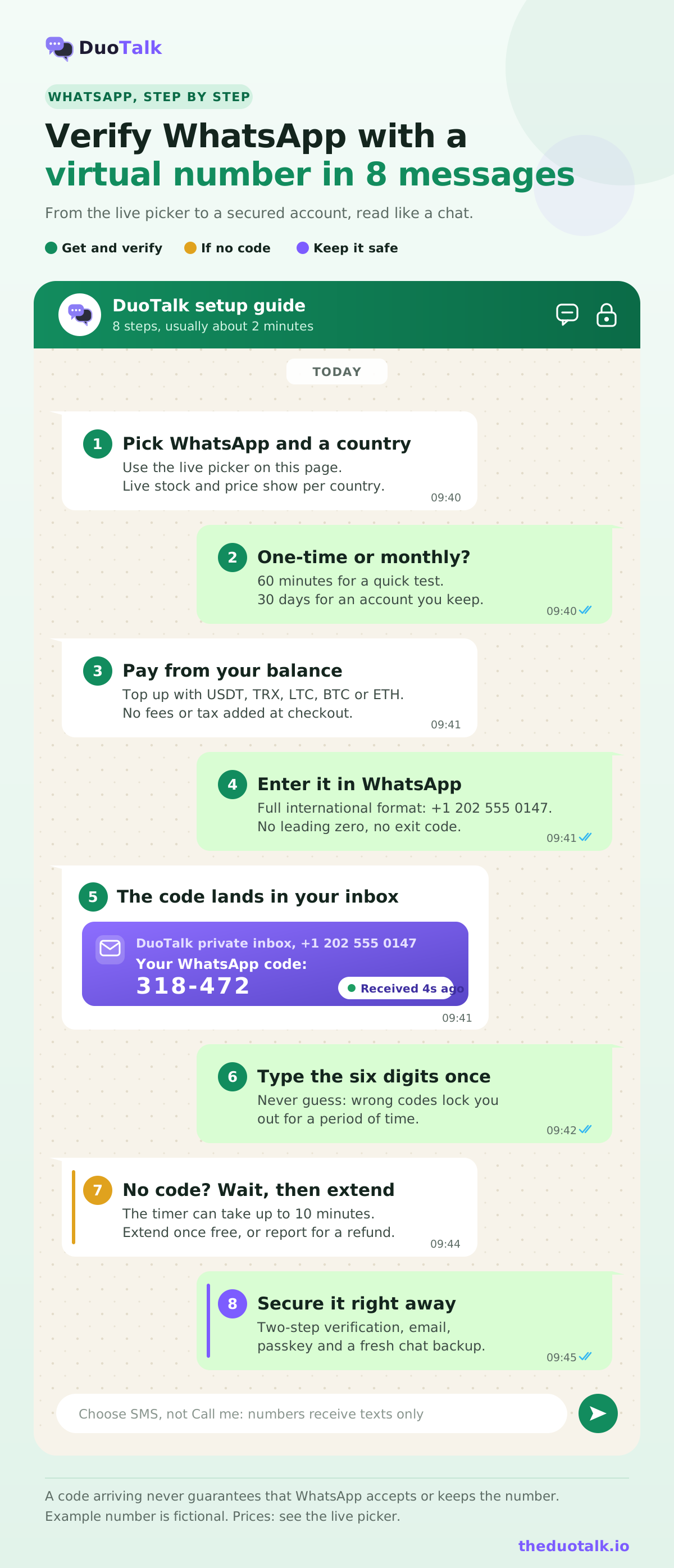
- Get the number. In the live picker at the top of this page, keep WhatsApp selected, choose a country and number type, and tap Get a WhatsApp Number. The number appears in your DuoTalk numbers list with its inbox.
- Open WhatsApp and tap Agree and continue. Update the app first; WhatsApp lists the latest version as a registration requirement.
- Choose the country from the dropdown, then enter the number in full international format. Remove any leading zero or exit code. WhatsApp's own example for a US number is "+1 408 XXX-XXXX".
- Request the code by SMS. WhatsApp sends a 6-digit code. Your phone will not read it automatically, because the SMS goes to your DuoTalk inbox.
- Read the code in your inbox. On tested routes it usually arrives within seconds. It often looks like two groups of three digits; type only the digits.
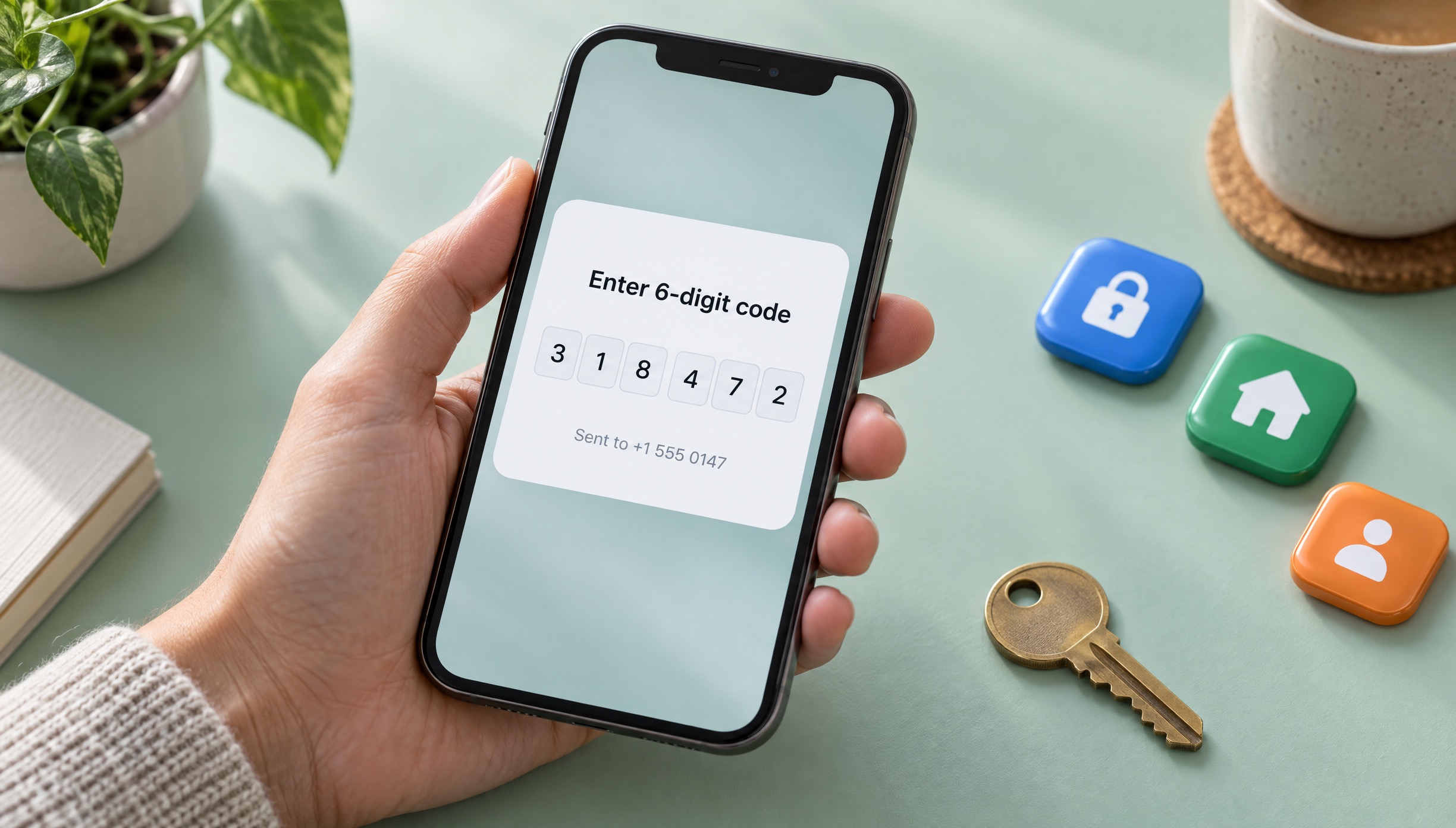
- Enter the code once, carefully. WhatsApp warns that guessing the registration code can lock you out for a period of time.
- Set up your profile, then secure the account with the settings in the safety section below before you start chatting.
Why "Call me" will not help on these numbers
WhatsApp offers a phone call as a backup ("Call me" or "Didn't receive a code?"), in which an automated voice reads the code. DuoTalk numbers receive SMS only and cannot take calls, so always choose SMS. If the SMS does not arrive, follow the troubleshooting steps further down rather than switching to the call option.
Which number types WhatsApp accepts
WhatsApp's Help Center lists unsupported numbers: VoIP, landlines (supported only in the WhatsApp Business app), toll-free, paid premium, universal access numbers (UAN), shared-cost and personal numbers. A WhatsApp-ready number therefore needs to look like an ordinary mobile line to WhatsApp's checks. That is why "non VoIP number for WhatsApp" is such a common search. Our explainer on non-VoIP numbers covers how line types are detected, and the guide to why a virtual number is not accepted explains the other reasons a service may refuse a number.
| Number type | WhatsApp (regular app) | WhatsApp Business app |
|---|---|---|
| Mobile-type number that receives SMS | Supported | Supported |
| Landline | Not supported | Supported, code by voice call |
| VoIP | Not supported | Not supported |
| Toll-free, premium-rate, UAN, shared-cost | Not supported | Not supported |
Best Countries for WhatsApp Numbers
The best country for a WhatsApp number is usually the one your contacts, customers or business live in, then whichever country shows live WhatsApp stock in the picker. WhatsApp works in almost every country, so the country choice is about who you talk to and how the number looks to them, not about where WhatsApp is "allowed".
A few practical rules help you choose:
- Match your audience. Customers in the UK are more likely to message a +44 number they recognise; a US client list expects +1.
- Match where you will keep the account. If you need the number for a month or longer, pick a country where a monthly number is available, because monthly numbers are offered in some countries only.
- Check live stock, not lists. Stock changes through the day. A country that shows WhatsApp stock in the live picker is your best signal right now; any fixed "best countries" list online goes stale quickly.
- A foreign number for WhatsApp is fine for privacy. WhatsApp does not require the number's country to match where you are, but your contacts will see the country code, so choose one you are comfortable showing.
| If you need... | Good starting point | Why |
|---|---|---|
| A USA number for WhatsApp | USA virtual phone numbers | +1 is familiar to US and Canadian contacts |
| A UK number for WhatsApp | UK virtual phone numbers | +44 mobile numbers suit UK customers and marketplaces |
| A Canada number for WhatsApp | Canada virtual phone numbers | Shares +1 with the US; looks local to Canadian clients |
| The lowest live price | Any country in the live picker | Price varies by country and stock |
| An account you will keep | A country offering monthly numbers | You can receive the next code for 30 days |
For other markets, the Numbers page lists every country with live WhatsApp stock and price side by side. Example numbers on this page are fictional (US and Canada numbers use the 555-01xx range, UK numbers the 07700 900xxx range).
One-Time vs Monthly Numbers for WhatsApp
Use a one-time number for WhatsApp only when you need the account for a few hours; use a monthly number for any WhatsApp account you want to keep. WhatsApp sends a fresh code to the same number when you change phones, reinstall or get logged out, and you can only read that code while the number is still yours.
| One-time number | Monthly number | |
|---|---|---|
| How long it works | 60 minutes after purchase; after the first code, 7 more minutes for a second code | 30 days |
| Which services | Only WhatsApp (the service you chose) | Any service |
| If no code arrives | Extend once free for another hour, then report for a refund to balance | Refund on request within 48 hours if the number never receives an SMS |
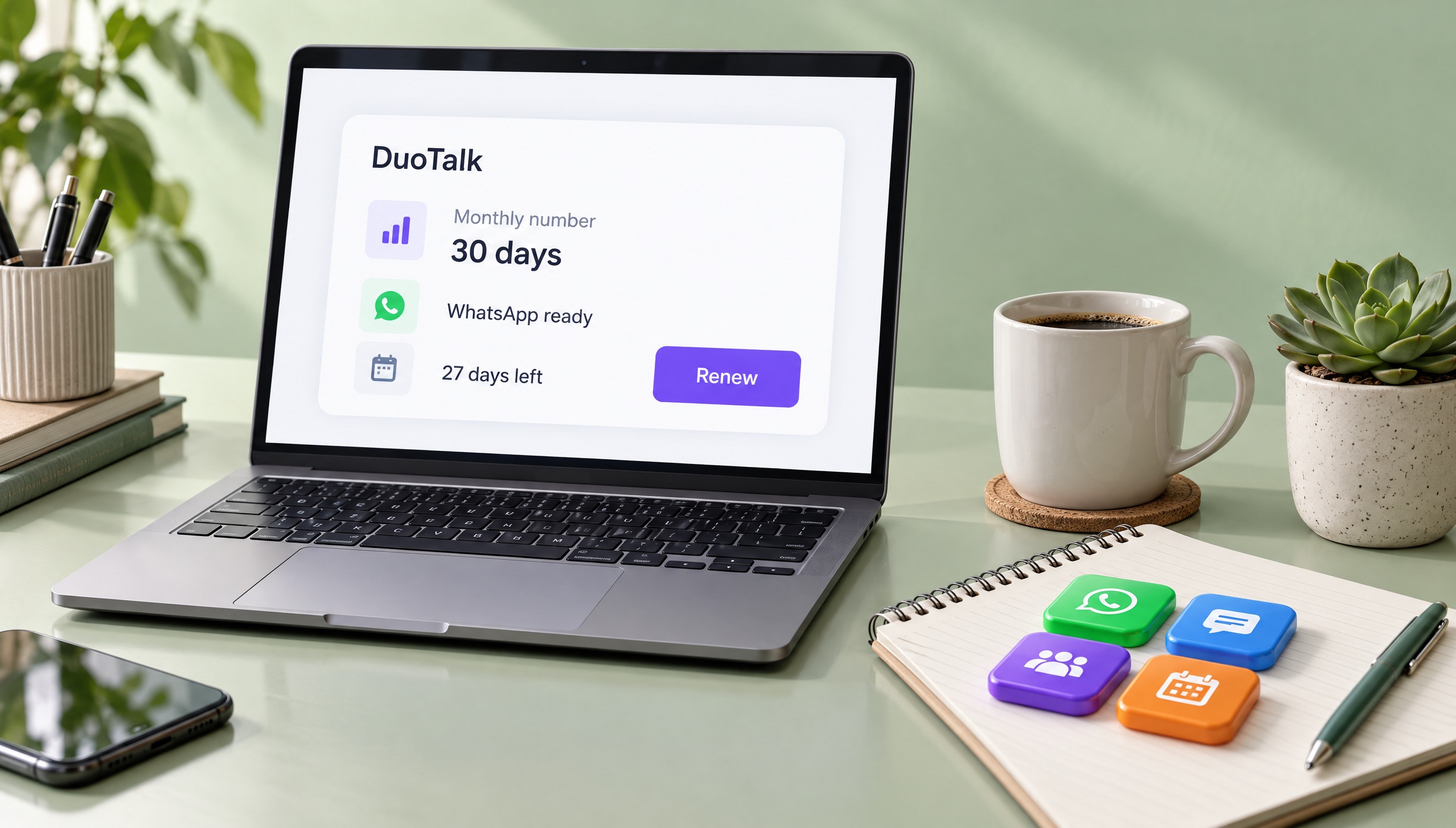
| Renewal | Can be renewed for another paid hour before it ends | Renew manually from your numbers list before day 30; nothing renews automatically |
| Re-verify on a new phone next week | No | Yes, while the rental lasts |
| Best for | A test, a demo, a one-day event | A work account, a WhatsApp Business number, a long-term private number for WhatsApp |
| Availability | Many countries, varies with stock | Some countries only |
A simple decision rule: if losing the account would bother you, do not register it on a number you will lose. A temporary number for WhatsApp is cheap and fast, but if WhatsApp logs you out next month the code goes to a number you no longer have. Our comparison of one-time vs monthly virtual numbers works through the cost over time with examples.
A worked example
A tutor wants a WhatsApp Business number for parents, separate from family chats. They buy a monthly UK number, register WhatsApp Business, turn on two-step verification and add an email the same day. Three weeks later their phone breaks. On the new phone WhatsApp asks for a code, it arrives in the DuoTalk inbox, and the backup restores. Before day 30 they renew from their numbers list. On a one-time number, the broken phone would have meant a lost business account.
WhatsApp Business without a second SIM
A WhatsApp Business virtual number works the same way: install the WhatsApp Business app, register the number with its SMS code and set up your profile. WhatsApp says you need a unique number for each app if you use both WhatsApp and WhatsApp Business, so your personal account stays on your SIM and the business account sits on the rented number. For a business account, choose monthly every time.
Keep Your WhatsApp Account Safe
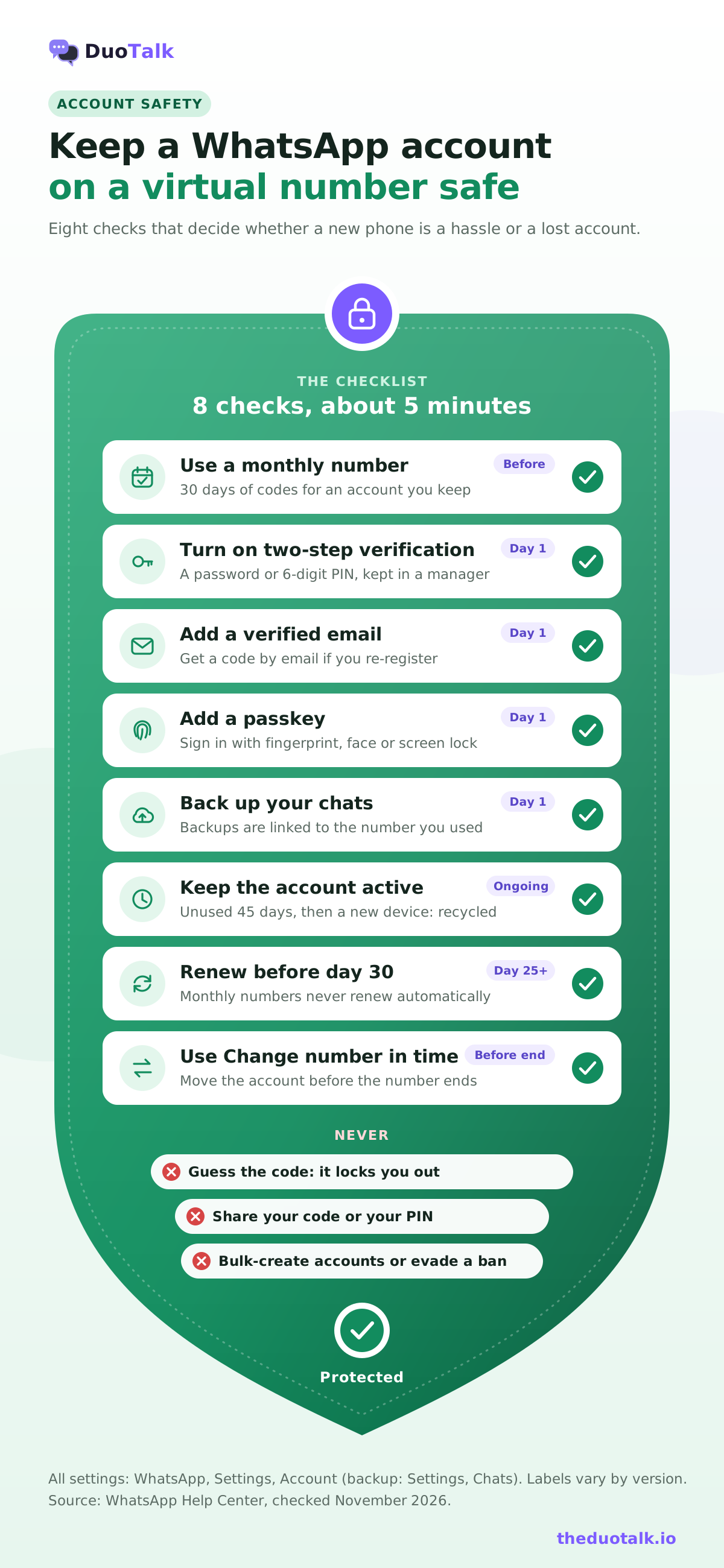
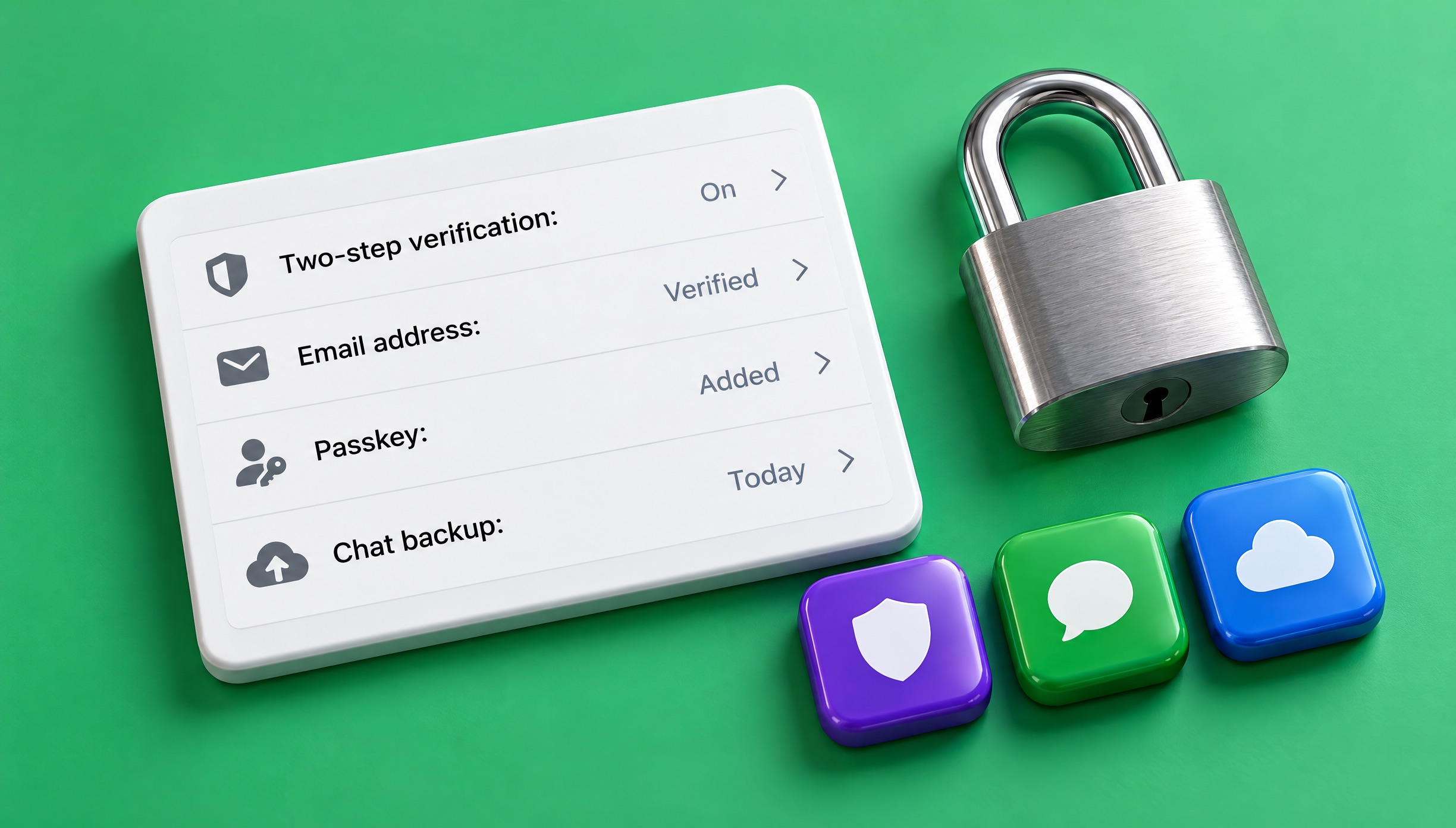
The safest setup for a WhatsApp account on a virtual number is a number you can keep, two-step verification with a password, a verified email address, and a recent backup. Together they take about five minutes and they decide whether a lost phone is an inconvenience or a lost account.
1. Turn on two-step verification
Two-step verification asks for a secret whenever your number is registered on a new phone, so someone who somehow receives your code still cannot take the account. WhatsApp's Help Center notes that it "is upgrading the 6-digit PIN used in two-step verification to a password", so depending on your app version you will see a PIN or a password option.
- Open WhatsApp and go to Settings, then Account, then Two-step verification.
- Turn it on and create a PIN or password you do not use anywhere else. Store it in a password manager.
- Add and confirm an email address when asked.
2. Add a verified email
Add an email under Settings, then Account, then Email address; WhatsApp sends a code to confirm it. WhatsApp says that if you need to re-register, you can then choose Email under "Choose how to verify" to receive the code, but only for an existing account and only if you added the email beforehand. This is the best backup you have if a number ends unexpectedly.
3. Add a passkey and make a backup
A passkey (Settings, Account, Passkeys) lets you confirm sign-ins with your fingerprint, face or screen lock. An encrypted chat backup (Settings, Chats, Chat backup) protects your history when you move phones. Note that WhatsApp says cloud backups are linked to the number used when the backup was made.
4. Understand re-verification and the 45-day rule
WhatsApp asks for a new code when you install it on a new phone, reinstall or are logged out. Separately, its Help Center explains recycled numbers: WhatsApp takes it as a sign that a number has been recycled when an account is unused for 45 days and is then activated on a new mobile device. In that case WhatsApp removes the old account data tied to the number. So keep the account in regular use, and do not let a number go while the account still matters. The DuoTalk number lifecycle page explains what happens to a number during and after access.
5. Move before the number ends
WhatsApp's Terms ask you to keep your current number on the account and to update it with the in-app change number feature. Change number (Settings, Account, Change number) moves your profile, settings, contacts and chats to the new number and deletes the account on the old one; WhatsApp warns the change cannot be reverted. Make a fresh backup after switching.
| Setting | Where it is | What it protects |
|---|---|---|
| Two-step verification | Settings, Account, Two-step verification | Someone registering your number on another phone |
| Email address | Settings, Account, Email address | Re-registering when SMS is not possible |
| Passkey | Settings, Account, Passkeys | Faster, phishing-resistant sign-in |
| Chat backup | Settings, Chats, Chat backup | Chat history on a new phone |
| Change number | Settings, Account, Change number | Keeping the account when a number ends |
What not to do
A private number is for privacy and separating identities. Do not use it to create accounts in bulk, to get around a ban, or to register for someone under WhatsApp's minimum age (at least 13, or older where local law requires). WhatsApp's Terms forbid creating accounts "through unauthorized or automated means". If your account was banned, use WhatsApp's in-app review request instead.
WhatsApp Number Pricing and Availability
The price of a WhatsApp number depends on the country, the number type and current stock, so see the live price in the picker above before you pay. Prices change with demand, which is why this page does not list fixed figures.
What moves the price:
| Factor | Effect |
|---|---|
| Country | Each country has its own price for WhatsApp numbers |
| Number type | A monthly number covers 30 days and any service, and it is priced separately from a one-time number; compare both in the picker |
| Stock | When few numbers are available for WhatsApp in a country, the price can rise or the country may show no stock |
| Duration | Monthly renewals add another 30 days; a one-time number can be renewed for a paid hour while it is still active |
How paying works:
- Top up your DuoTalk balance with USDT (TRC20 or BEP20), TRX, LTC, BTC or ETH (minimum top-up $15). The balance is added automatically once the network confirms.
- Pick the country and number type in the live picker; the price shown is the price you pay, with no fees or tax added at checkout.
- The number is paid from your balance and appears in your numbers list straight away.
- If a one-time number never gets a WhatsApp code, extend once free, then report it; approved refunds go back to your balance. The refunds page has the full rules.
"Paid WhatsApp verification number" versus free public inboxes is an easy choice for WhatsApp. On a free public page anyone can read your code and use it, and those numbers are usually registered on WhatsApp already. For a fuller comparison of buying options, see how to buy a virtual phone number, or compare countries on our page to buy a virtual phone number.
Troubleshooting WhatsApp Codes
If your WhatsApp code is not received, check the number format, wait for WhatsApp's timer to finish, request one new SMS, and then switch numbers instead of retrying again and again. Most failures come from a wrong country code, too many requests or a number WhatsApp refuses.
WhatsApp's Help Center says the wait "might take up to 10 minutes". Work through this order:
- Check the format. Country picked from the list, no leading zero, no exit code, every digit correct.
- Wait for the timer. Do not tap resend repeatedly; each request can lengthen the wait.
- Request one new SMS. Choose SMS, not a phone call, because DuoTalk numbers do not take calls.
- Use the free extension. On a one-time number, extend once for another hour on the same number (see extending and renewing numbers).
- Report and switch. If nothing arrives, report the number for a refund to your balance and try another number or country.
| What you see | What it usually means | What to do |
|---|---|---|
| Number rejected straight away | Wrong country or an extra zero | Re-enter in international format |
| Registration refused for this number | Unsupported type or a flagged number | Choose a different number; retrying will not help |
| "You have guessed the code too many times." | Wrong codes entered more than once | Wait the time shown; WhatsApp says "There's no way to make this faster." |
| A countdown such as "try again in 1 hour" | Too many code requests | Wait the full time before one new request |
| No SMS after the timer | Delay, filtering or a route issue | Request once more, extend, then report and switch |
| Asked for a two-step PIN you never set | A previous holder of the number set two-step verification | Pick another number; resetting it takes days |
| Asked to verify again weeks later | New phone, reinstall or logout | Read the new code on your monthly number, or use email verification if you added it |
Wording varies by app version and language. For every other cause, from carrier filtering to wrong sender IDs, read our full guide to not receiving verification codes.
Other services and core pages
WhatsApp is one of many services DuoTalk supports. If you also need a virtual number for Telegram or an Instagram verification phone number, each has its own page. For the bigger picture, start with our hub to receive SMS online, compare a temporary phone number with a rental, or read how our SMS verification service works across apps. New to all of this? Our step-by-step guide on how to receive SMS online covers the basics.
Sources
- WhatsApp Help Center: How to register your phone number
- WhatsApp Help Center: Can't complete registration
- WhatsApp Help Center: Can't register phone number
- WhatsApp Help Center: About seeing your phone number already in WhatsApp (recycled numbers, 45 days)
- WhatsApp Help Center: How to manage two-step verification settings
- WhatsApp Help Center: Add your email to your WhatsApp account
- WhatsApp Help Center: About changing phone numbers
- WhatsApp Terms of Service
Last reviewed: November 2026
Frequently asked questions
Can I use a virtual number for WhatsApp?
Yes, if WhatsApp accepts the number type and you can read the 6-digit code. WhatsApp's Help Center says VoIP, toll-free, premium-rate, UAN, shared-cost and personal numbers cannot be registered, and landlines work only in WhatsApp Business. A mobile-type virtual number that receives SMS can work, but WhatsApp makes the final decision. For an account you keep, choose a monthly number so you can receive later codes.
Can I get a temporary number for WhatsApp verification?
Yes. A one-time DuoTalk number works for 60 minutes after purchase and receives the WhatsApp code in a private inbox; after the first code it stays open 7 more minutes for a second one. It suits a quick test. Because WhatsApp sends a new code whenever you change phones or reinstall, a temporary number is risky for any account you want to keep, so use a monthly number instead.
Why is my WhatsApp verification code not coming?
The usual causes are a wrong country code or extra zero, too many requests, an unsupported number type, or a delay on the route. WhatsApp says to wait for the timer, which can take up to 10 minutes, then request again. Do not guess codes. On a DuoTalk one-time number, extend once free; if nothing arrives, report it for a refund to your balance and try another number.
Will WhatsApp ban me for using a virtual number?
Using a separate number for privacy is not, on its own, a reason WhatsApp gives for banning accounts. Bans follow breaking WhatsApp's Terms, for example creating accounts through unauthorized or automated means, spam or impersonation. WhatsApp can still refuse a number at registration. Keep one account per number, use accurate information, turn on two-step verification and never use a new number to get around a ban.
Can I use WhatsApp without a SIM card?
Yes. WhatsApp needs a number that can receive its registration code, not a SIM inside the phone running the app. You can register a virtual number, read the SMS code in an online inbox and use WhatsApp over Wi-Fi. The catch is later re-verification: WhatsApp sends new codes to that number when you change phones, so keep the number, add an email and turn on two-step verification.
Can I have two WhatsApp accounts on one phone?
Yes. On app versions that support it, open WhatsApp Settings, tap the arrow next to your name and choose Add account (wording varies), or install the separate WhatsApp Business app. Each account needs its own phone number and its own registration code, and WhatsApp says each app needs a unique number. A monthly virtual number works well as the second number for WhatsApp, because the second account will also need codes again later.
What happens to my WhatsApp account when the virtual number expires?
Nothing changes immediately: WhatsApp keeps working on your current phone. The risk comes when WhatsApp asks for a new code after a phone change, reinstall or logout, because the code goes to a number you no longer control. If an account is unused for 45 days and the number is activated on another device, WhatsApp treats it as recycled. Use Change number before letting a number go.